Jump to content
View in the app

A better way to browse. Learn more.

Bimmer Owners Club - BMW Forum for BMW Owners

A full-screen app on your home screen with push notifications, badges and more.

To install this app on iOS and iPadOS
  1. Tap the Share icon in Safari
  2. Scroll the menu and tap Add to Home Screen.
  3. Tap Add in the top-right corner.
To install this app on Android
  1. Tap the 3-dot menu (⋮) in the top-right corner of the browser.
  2. Tap Add to Home screen or Install app.
  3. Confirm by tapping Install.

Featured Replies

hi every one. im gary and not only a new member here but a new bmw owner. if anyone can tell me how to add pictures to my profile i would be very greatfull. many thanks

gary

hi every one. im gary and not only a new member here but a new bmw owner. if anyone can tell me how to add pictures to my profile i would be very greatfull. many thanks

gary

Hello matey! :D

The top right of the page you will see your screen name and a little white triangle/arrow pointing downwards. click that, than go to 'My Settings' than go to 'Profile', From there you should be able to work it out even further ;)

Any more questions, Fire away! :)

Daz

Oww...

If you ment, add multiple pics to view, I don't know. I just link my pics via Imageshack :)

  • Author

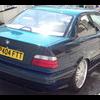
i have managed to sort out my profile pic as you can see and ive also managed to upload pictures of my little beauty onto my posts. still not able to create an album for people to look at in my profile. nevermind will find out eventually. lol. post-1615-0-36297200-1310750895_thumb.jppost-1615-0-88563100-1310750823_thumb.jp

i have managed to sort out my profile pic as you can see and ive also managed to upload pictures of my little beauty onto my posts. still not able to create an album for people to look at in my profile. nevermind will find out eventually. lol.

It is a little awrkward, something we are looking into

try http://www.bmwownersclub.com/forums/index.php/gallery/

then click upload, create album....

Welcome to BMWOC.....nice lookin 36 ya got :)

  • Author

Welcome to BMWOC.....nice lookin 36 ya got :)

thanks dude, im really happy with it.

Welcome to the NUT house, Gazza....

Be aware of showing your plate online as it may be copied to a similar car for fuel theft !!!

  • Author

Good grief didn't even think of that. Cheers will try and get rid

Just keeping it safe, mucka... B)

hi mate all i done was in the top left of the page it says my BMW click on that then on that list should say add photos then once on that lets u create a album and add multiple photos, hope this helps mate :) nice motor by the way very tidy!

  • Author

hi mate all i done was in the top left of the page it says my BMW click on that then on that list should say add photos then once on that lets u create a album and add multiple photos, hope this helps mate :) nice motor by the way very tidy!

thanks will give it a go.

and thanks yeah its very tidy, i just have to keep on top of the cleanlyness. lol

yeah i bet mate dark cars are really hard 2 keep clean especially with dust and allways seems to be as soon as u have cleaned it, where in devon are u mate?

Welcome Gary, clean looking car. :D

  • Author

I'm in Plymouth mate. The rainy city. Lol so it's even more of a ##### to keep clean.

ha ha no way yeah bet it is im not that far from u really we get all the poo weather aswell

Hello :)

Hi caz.

Caz has a Toe Doctor.....

Latest Deals

BMW Official Store for genuine BMW parts & accessories

Disclaimer: As the club is an eBay Partner, The club may be compensated if you make a purchase via eBay links

Join the conversation

You can post now and register later. If you have an account, sign in now to post with your account.
Note: Your post will require moderator approval before it will be visible.

Guest
Reply to this topic...
eBay disclaimer: As the club is an eBay Partner, The club may be compensated if you make a purchase you make on eBay via the club.

DISCLAIMER: Bimmerownersclub.com is an independent BMW car forum for owners of BMW vehicles. The club is not part of BMW nor affiliated with or endorsed by the offical BMW AG in any way. The material contained in the forums is submitted by the general public, and is not endorsed by Bimmer Owners Club, BMW AG, or Bayerische Motoren Werke AG. The official website for BMW AG can be found at http://www.bmw.co.uk
Background Picker
Customize Layout

Configure browser push notifications

Chrome (Android)
  1. Tap the lock icon next to the address bar.
  2. Tap Permissions → Notifications.
  3. Adjust your preference.
Chrome (Desktop)
  1. Click the padlock icon in the address bar.
  2. Select Site settings.
  3. Find Notifications and adjust your preference.