Jump to content
View in the app

A better way to browse. Learn more.

Bimmer Owners Club - BMW Forum for BMW Owners

A full-screen app on your home screen with push notifications, badges and more.

To install this app on iOS and iPadOS
  1. Tap the Share icon in Safari
  2. Scroll the menu and tap Add to Home Screen.
  3. Tap Add in the top-right corner.
To install this app on Android
  1. Tap the 3-dot menu (⋮) in the top-right corner of the browser.
  2. Tap Add to Home screen or Install app.
  3. Confirm by tapping Install.

Leaderboard

Popular Content

Showing content with the highest reputation on 04/14/2020 in all areas

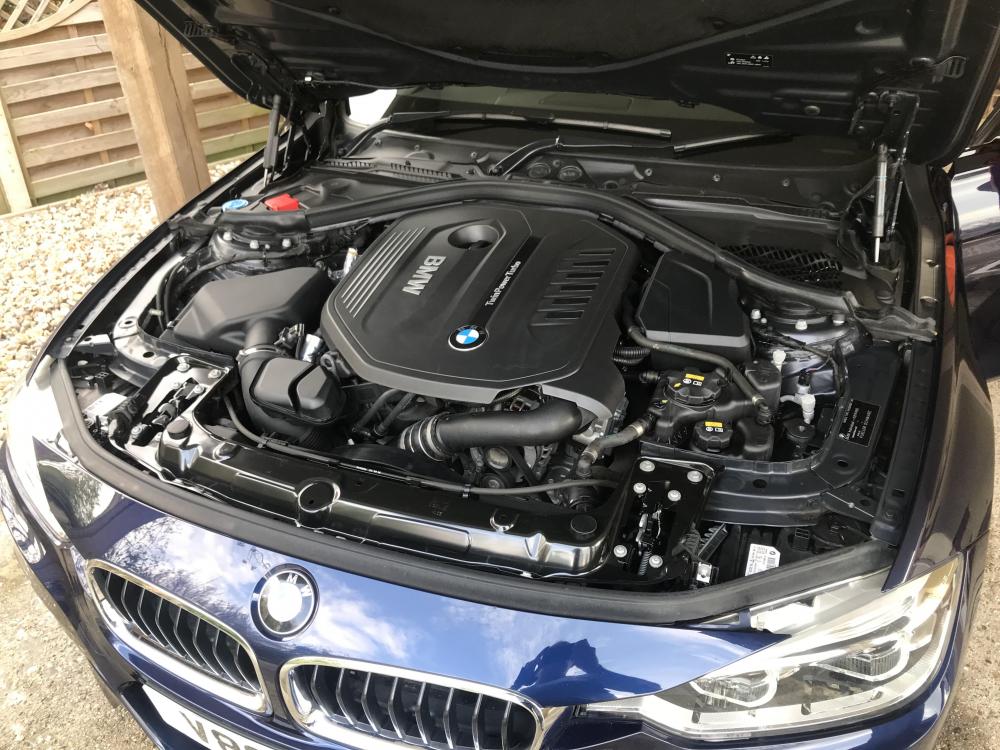
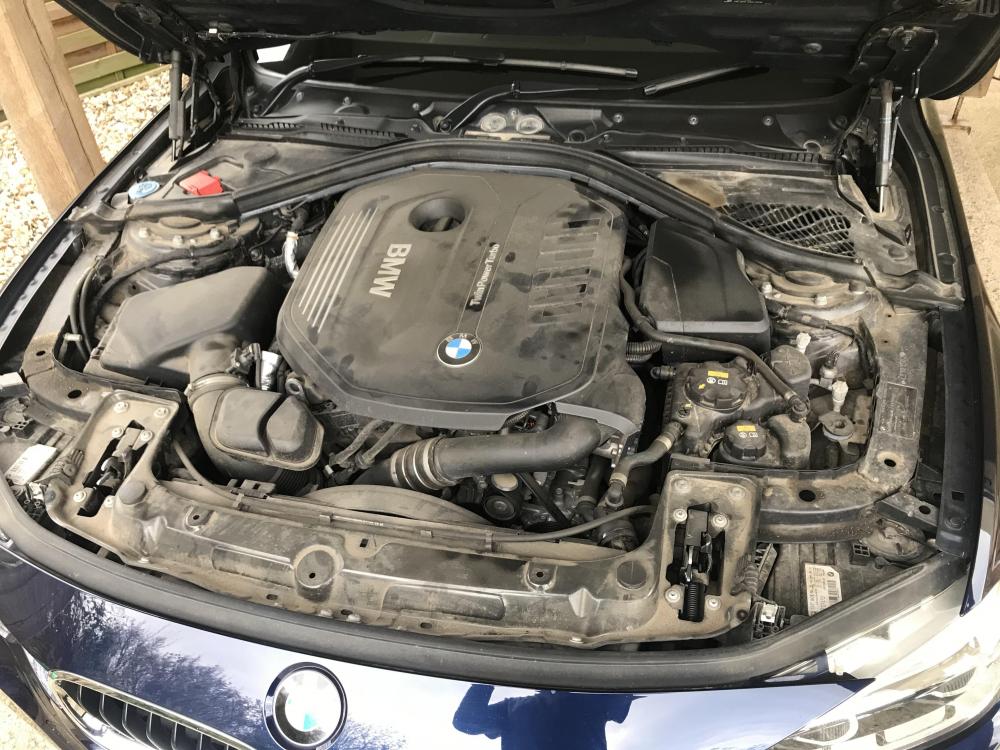
  1. Quick clean of the engine yesterday come up rather well before and after
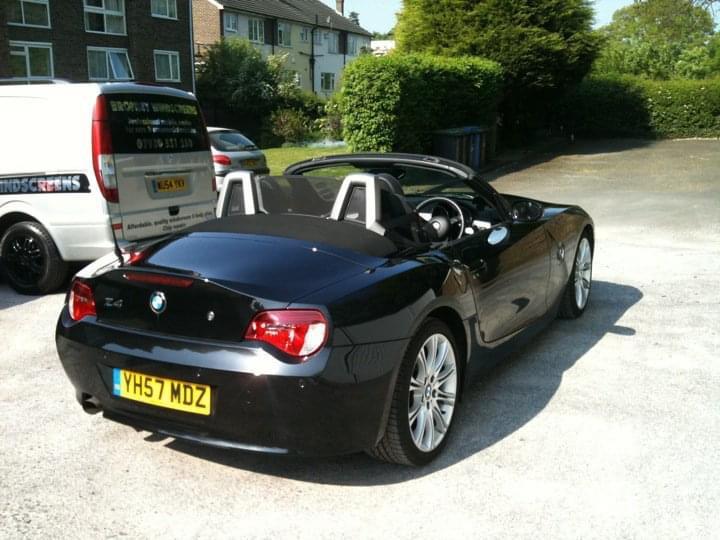
  2. Hi all, Bit of a long shot, but I am trying to trace a car I used to own, Black Z4, 2.0i M Sport ref YH57MDZ. Photo of the car below. I am interested in owning this again and would really like to contact the owner. I last owned this car and sold it March 2012 to a young guy in Essex. If you own this car, or know who does own this, please feel free to direct them to me via this thread. Thanks in advance. Phill
  3. Great Job Mick I can pop the X5 round if your bored 😁 Dave
  4. Hi Martin If your car is a genuine Schnitzer car there will be a plate in the engine bay plus a plate on the engine. Same as AMG the engine plate is engraved with the signature of the builder. Have you Googled Schnitzer pictures to see if you can get a clue to what badges Schnitzer fitted. Dave
eBay disclaimer: As the club is an eBay Partner, The club may be compensated if you make a purchase you make on eBay via the club.

DISCLAIMER: Bimmerownersclub.com is an independent BMW car forum for owners of BMW vehicles. The club is not part of BMW nor affiliated with or endorsed by the offical BMW AG in any way. The material contained in the forums is submitted by the general public, and is not endorsed by Bimmer Owners Club, BMW AG, or Bayerische Motoren Werke AG. The official website for BMW AG can be found at http://www.bmw.co.uk
Background Picker
Customize Layout

Configure browser push notifications

Chrome (Android)
  1. Tap the lock icon next to the address bar.
  2. Tap Permissions → Notifications.
  3. Adjust your preference.
Chrome (Desktop)
  1. Click the padlock icon in the address bar.
  2. Select Site settings.
  3. Find Notifications and adjust your preference.