Jump to content
View in the app

A better way to browse. Learn more.

Bimmer Owners Club - BMW Forum for BMW Owners

A full-screen app on your home screen with push notifications, badges and more.

To install this app on iOS and iPadOS
  1. Tap the Share icon in Safari
  2. Scroll the menu and tap Add to Home Screen.
  3. Tap Add in the top-right corner.
To install this app on Android
  1. Tap the 3-dot menu (⋮) in the top-right corner of the browser.
  2. Tap Add to Home screen or Install app.
  3. Confirm by tapping Install.

Featured Replies

Hi guys.

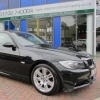
Ok, I recently bought a black E90 with the M Sport body and currently it's chrome trimmed. I was thinking about blacking it out and was after some advice to the yes or no for this.

I've been looking at potentially:

Black kidney grilles

Tinted rear windows and smoked front windows

Black alloy wheels

Possibly smoked indicators and rear light cluster

Let me also point out that I'm 36 years old and not a teeny chav, I just like the look of the black trim over the chrome.

Any advice will be appreciated as this will cost me a lot of money so don't hold back, I won't get offended I promise ;)

Dave

hello,

I've got an F30 which is blacked out, I've got some photos of it to see what you think/try and help. I have silver alloys for the summer and these are the winter ones, I'm not a massive fan, since having them on you can notice that the colour of the rubber isn't actually black and it looks slightly odd. I've got the black kidney grill aswell in my profile picture if you want to see if it helps

post-10218-0-09001800-1418730332_thumb.j

Go for the rear tints. You need to ensure that if smoking the front windows they are still 70% clear. As these are already tinted you are likely to go over. Dont touch the windscreen obviously. Also you must inform the insurance as they will not pay out if you need them to. My insurance company wanted around £70 a year more, so I fitted a blind in the back instead.

I dont know about putting black on black. It looks ok where I have seen it done on older versions in other colours. You might want to find a few pictures on the net to see if it looks ok first. Personally I like the chrome on the M Sport.

  • Author

Thanks for the advice, really like the look of your car Miles. I don't think your alloys look odd at all but I know a bit of Autoglym Tyre dressing will make them look much darker, although you'll probably be reapplying every few hundred miles or so.

Didn't even consider insurance rises so I'll factor that into my decision, thanks Bruce. I do think my car looks v nice as it is but I've had a couple of friends say it'd look better blacked.

I've got to say Myles car does look mean blacked.

Hi,

If you find this gives you any issues with your insurance then please feel free to give us a try if you wish.

Regards,

Dan.

Latest Deals

BMW Official Store for genuine BMW parts & accessories

Disclaimer: As the club is an eBay Partner, The club may be compensated if you make a purchase via eBay links

Join the conversation

You can post now and register later. If you have an account, sign in now to post with your account.
Note: Your post will require moderator approval before it will be visible.

Guest
Reply to this topic...
eBay disclaimer: As the club is an eBay Partner, The club may be compensated if you make a purchase you make on eBay via the club.

DISCLAIMER: Bimmerownersclub.com is an independent BMW car forum for owners of BMW vehicles. The club is not part of BMW nor affiliated with or endorsed by the offical BMW AG in any way. The material contained in the forums is submitted by the general public, and is not endorsed by Bimmer Owners Club, BMW AG, or Bayerische Motoren Werke AG. The official website for BMW AG can be found at http://www.bmw.co.uk
Background Picker
Customize Layout

Configure browser push notifications

Chrome (Android)
  1. Tap the lock icon next to the address bar.
  2. Tap Permissions → Notifications.
  3. Adjust your preference.
Chrome (Desktop)
  1. Click the padlock icon in the address bar.
  2. Select Site settings.
  3. Find Notifications and adjust your preference.