Jump to content
View in the app

A better way to browse. Learn more.

Bimmer Owners Club - BMW Forum for BMW Owners

A full-screen app on your home screen with push notifications, badges and more.

To install this app on iOS and iPadOS
  1. Tap the Share icon in Safari
  2. Scroll the menu and tap Add to Home Screen.
  3. Tap Add in the top-right corner.
To install this app on Android
  1. Tap the 3-dot menu (⋮) in the top-right corner of the browser.
  2. Tap Add to Home screen or Install app.
  3. Confirm by tapping Install.

Featured Replies

Well after having a break after my bmw 528i

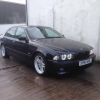
I went and brought this today:

BMW E39 530i M-Sport

143000 miles

Full bmw service history

12 months mot

2 months tax

AND I !Removed! LOVE IT!!!!!!!!! Here's some pics

imagejpg1_zpsdc209902.jpg

imagejpg3_zpsf3389281.jpg

imagejpg6_zps0d8c8f23.jpg

imagejpg4_zpscc50f98f.jpg

imagejpg2_zps7b5aadcd.jpg

imagejpg5_zps353d5cd0.jpg

imagejpg10_zps112502a2.jpg

imagejpg11_zps3aceccfd.jpg

imagejpg8_zps597f0631.jpg

imagejpg7_zpsc5a0b6d5.jpg

imagejpg9_zpsddd32457.jpg

Hope you all like comments welcome good or bad

Thanks

.sam.

That looks sweet and well specced. Nice one :)

  • Author

That looks sweet and well specced. Nice one :)

thanks mate

never had a 530i before so not sure what specs they came in ?

  • Author

Nice car Sam :-D

thanks val :) i love it

  • Author

Nice

Thanks mate

Very nice, it looks extremely well cared for. Hope you enjoy and don't end up with face ache (you know, to much grinning) ;-)

Very nice, looks clean mate. What are it's future plans?

  • Author

Very nice, it looks extremely well cared for. Hope you enjoy and don't end up with face ache (you know, to much grinning) ;-)

Cheers

It's very very clean under bonnet never seen one so clean myself!

It has full bmw history and rear seats look as if never been sat in!

Very happy with it :)

  • Author

My god that's lush sam.....

Thank you :)

  • Author

Very nice, looks clean mate. What are it's future plans?

Thanks mate

Hmmm. Not a lot of plans as such apart to enjoy it

Perhaps

Cold air induction kit and upgrade all bulbs inside to led

Possibly a nice subtle back box (nothing loud just want a nice burble)

Replace all the obc etc as pixels started to die

And there is one thing few of you might be able to help with:

When go over a speed hump (narrow tallish one) when the rear wheels go up and drop down other side there is a loud sharp click type noise from the rear also happened when reversing off drive at an angle and rear wheels where at different angles

Any ideas????

Thanks

I'm not to sure my self mate. First thought for me would be diff bush's.

  • Author

I'm not to sure my self mate. First thought for me would be diff bush's.

Not very clouded up on bmw's I can do odd mechanical jobs and bit etc but not sure where to look there

Obviously I know near the diff lol

  • Author

Check the drop links?

shall get them checked

cheers

Latest Deals

BMW Official Store for genuine BMW parts & accessories

Disclaimer: As the club is an eBay Partner, The club may be compensated if you make a purchase via eBay links

Join the conversation

You can post now and register later. If you have an account, sign in now to post with your account.
Note: Your post will require moderator approval before it will be visible.

Guest
Reply to this topic...
eBay disclaimer: As the club is an eBay Partner, The club may be compensated if you make a purchase you make on eBay via the club.

DISCLAIMER: Bimmerownersclub.com is an independent BMW car forum for owners of BMW vehicles. The club is not part of BMW nor affiliated with or endorsed by the offical BMW AG in any way. The material contained in the forums is submitted by the general public, and is not endorsed by Bimmer Owners Club, BMW AG, or Bayerische Motoren Werke AG. The official website for BMW AG can be found at http://www.bmw.co.uk
Background Picker
Customize Layout

Configure browser push notifications

Chrome (Android)
  1. Tap the lock icon next to the address bar.
  2. Tap Permissions → Notifications.
  3. Adjust your preference.
Chrome (Desktop)
  1. Click the padlock icon in the address bar.
  2. Select Site settings.
  3. Find Notifications and adjust your preference.