


kirby williams
Regular Member
-
Joined
-
Last visited
Everything posted by kirby williams
-
245
-
from ebay im gettin refund but keepin the lights to bin i think if he says bin them i might replace the lens if they are the same :D
-
welcome and enjoy yourself here
-
234 B)
-
while ur under there get someone to put there hand over the end of the tail pipe it forces the gasses out the hole makin it v easy to find :D
-
what can i say im dam good lol
-
31 well used though hence the 5 kids lmao
-
bmw = beer monsters worldwide :lol:
-
hiya mate welcome n enjoy oh i hope u like beer as thats all we talk about realy lol well gav does :P
-
how about the missues punto and 2 kids i got 5 so wont miss 2 ur choise 2 girls or a boy n girl varied age ranges between 4 and 13yrs all house trained and the older modles even make tea n coffee or can be trained to fetch beer from the fridge ???????
-
welcome dude
-
hi all just recived the new angel eye lights ( original hella ones ) and the glass is smashed in one of them are the normal head light glass replasement the same as the hella ones i cant see any difference but just askin to make sure thanks
-
224
-
:blink:
-
pug 206 lol
-
196 B)
-
lmfao dude love the cat
-
porch crapanne i think u mean u miss spelt it lol
-
i will put scooter on for the kids will that count ?
-
1 and 2 fat ladies
-
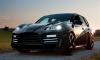
what this 1 ?
-
im sad cause i love country lmao
-
imagine that in ur rear view mirror ud move over real fast lol
-
welcome steve enjoy mate
-




