Jump to content
View in the app

A better way to browse. Learn more.

Bimmer Owners Club - BMW Forum for BMW Owners

A full-screen app on your home screen with push notifications, badges and more.

To install this app on iOS and iPadOS
  1. Tap the Share icon in Safari
  2. Scroll the menu and tap Add to Home Screen.
  3. Tap Add in the top-right corner.
To install this app on Android
  1. Tap the 3-dot menu (⋮) in the top-right corner of the browser.
  2. Tap Add to Home screen or Install app.
  3. Confirm by tapping Install.

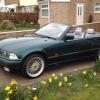
E36 Roof Motor Slipping

Featured Replies

Guys I've had a read through and played with the search button on the forum but I cant seem to find the answer.

My E36 roof seems to slip??

When I bought the car the roof worked, apart from the rear window section did not lift high enough for the roof cover to open fully. Also the roof would get stuck when trying to go "back", quick nudge with my hand and away it went. I put this down to lack of lube and added it to my list of things to do later, then winter hit and that was that.

I've tried to drop the roof a couple times lately just to make sure it gets used, and now I can hear the motor slipping, it sound like the "cogs" are missing and you get the usual noise that goes with it, bl**dy loud too!!

What is the best thing to do?

Is there parts of the roof frame that might need adjusting or is it motor replacement thats needed.

Answers on a postcard please.... :)

Dave

Latest Deals

BMW Official Store for genuine BMW parts & accessories

Disclaimer: As the club is an eBay Partner, The club may be compensated if you make a purchase via eBay links

Join the conversation

You can post now and register later. If you have an account, sign in now to post with your account.
Note: Your post will require moderator approval before it will be visible.

Guest
Reply to this topic...
Background Picker
Customize Layout

Account

Navigation

Search

Configure browser push notifications

Chrome (Android)
  1. Tap the lock icon next to the address bar.
  2. Tap Permissions → Notifications.
  3. Adjust your preference.
Chrome (Desktop)
  1. Click the padlock icon in the address bar.
  2. Select Site settings.
  3. Find Notifications and adjust your preference.