Jump to content
View in the app

A better way to browse. Learn more.

Bimmer Owners Club - BMW Forum for BMW Owners

A full-screen app on your home screen with push notifications, badges and more.

To install this app on iOS and iPadOS
  1. Tap the Share icon in Safari
  2. Scroll the menu and tap Add to Home Screen.
  3. Tap Add in the top-right corner.
To install this app on Android
  1. Tap the 3-dot menu (⋮) in the top-right corner of the browser.
  2. Tap Add to Home screen or Install app.
  3. Confirm by tapping Install.

New to BMW.

Featured Replies

Hello to everyone. I'm Paul. New member. New owner.:yes: E82 118d  m sport. Loving it but feel like I'm in a futuristic film. LoL. Not had any experience of modern cars or turbo diesels. I am slowly learning all of the menu's and options. May be easier to take a degree. LoL. Should have swapped from my old Celica years ago. This Bmw is as fast, I get twice the mpg, I save £230 a year in tax and my insurance is cheaper. Better late than never I guess. Anyway just wanted to say hello.

From Celica to BMW. LoL What's a Celica again???

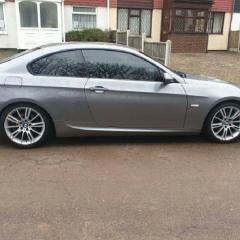
IMAG0006.jpg

08_list.jpg

Think we've already spoken but hello! :smile:

That's quite a difference in tax - how much is the tax on each car?

Didn't realise the Celica polluted so much :shocking:

  • Author

£130 / 6 months on the 1.8 ltr petrol Celica. £30 / YEAR ON THE 2.0 ltr 118d BMW. LoL. Absolutely mind blowing.

Bit of a difference then! I wish my tax was that low :wacko:

It's all going to change soon though for the new cars. Have you taken a look at the new tax system that was announced?

Latest Deals

BMW Official Store for genuine BMW parts & accessories

Disclaimer: As the club is an eBay Partner, The club may be compensated if you make a purchase via eBay links

Join the conversation

You can post now and register later. If you have an account, sign in now to post with your account.
Note: Your post will require moderator approval before it will be visible.

Guest
Reply to this topic...
Background Picker
Customize Layout

Account

Navigation

Search

Configure browser push notifications

Chrome (Android)
  1. Tap the lock icon next to the address bar.
  2. Tap Permissions → Notifications.
  3. Adjust your preference.
Chrome (Desktop)
  1. Click the padlock icon in the address bar.
  2. Select Site settings.
  3. Find Notifications and adjust your preference.