


BigAl
Premium Member
-
Joined
-
Last visited
Everything posted by BigAl
-
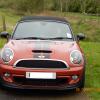 Back to the £20. lol :D
 -
Happy Birthday Dave, Have a good day, all the best. :D
-
216 :D
-
Welcome Tony, Enjoy the forum. :D
-
Dave posted a pic of an Astra on the site, hope that clears that up Val, lol :D
-
209 :D
-
I will kiss the £20 when it is handed over to me. lol :D
-
That explains why money has depreciated so much (pic of Astra covered in money) lol :D
-
I will take a BMW covered in them, please. :D
-
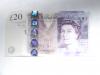
Just in case anyone forgot what they look like. lol :D
-
204
-
Back to the £20. :D
-
197
-
We have gone from £20 to beer to poetry, what is next? lol :D
-
Don;t forget the beer. lol :D
-
Back to the longest thread again. :D
-
Cut backs this year. :D
-
Hic! Already there. :D
-
192
-
Just thought I would try and get in to the poetry class. lol :D
-
You spin the missus that line, When you are round Val's house, She says that is fine, Until you come drunk from drinking Famous Grouse. :D
-
186 :D
-
Hard to talk whilst drinking beer lol :D
-
Does your Missus know lol :D
-
Welcome Steve, Enjoy the new car and the forum. :D

eBay disclaimer: As the club is an eBay Partner, The club may be compensated if you make a purchase you make on eBay via the club.
DISCLAIMER: Bimmerownersclub.com is an independent BMW car forum for owners of BMW vehicles. The club is not part of BMW nor affiliated with or endorsed by the offical BMW AG in any way. The material contained in the forums is submitted by the general public, and is not endorsed by Bimmer Owners Club, BMW AG, or Bayerische Motoren Werke AG. The official website for BMW AG can be found at http://www.bmw.co.uk
DISCLAIMER: Bimmerownersclub.com is an independent BMW car forum for owners of BMW vehicles. The club is not part of BMW nor affiliated with or endorsed by the offical BMW AG in any way. The material contained in the forums is submitted by the general public, and is not endorsed by Bimmer Owners Club, BMW AG, or Bayerische Motoren Werke AG. The official website for BMW AG can be found at http://www.bmw.co.uk