Jump to content
View in the app

A better way to browse. Learn more.

Bimmer Owners Club - BMW Forum for BMW Owners

A full-screen app on your home screen with push notifications, badges and more.

To install this app on iOS and iPadOS
  1. Tap the Share icon in Safari
  2. Scroll the menu and tap Add to Home Screen.
  3. Tap Add in the top-right corner.
To install this app on Android
  1. Tap the 3-dot menu (⋮) in the top-right corner of the browser.
  2. Tap Add to Home screen or Install app.
  3. Confirm by tapping Install.

Leaderboard

Popular Content

Showing content with the highest reputation on 10/05/2014 in all areas

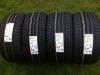
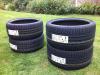
  1. 4 x Bridgestone Potenza RE050A Run Flat Tyres, Brand New, Still With Labels On & Unmarked! 2 x 225/35/19 RE050A RFT 2 x 255/30/19 RE050A RFT I am selling a brand NEW set of Bridgestone Potenza RE050A Run Flat Tyres cheaper than anywhere else on EBay, BlackCircles.com or Kwik Fit sale prices!! Ideal for most BMW models with 19" wheels, especially 3 series. Grab yourself a bargain, any questions or inspection please feel free to ask. Collection from Chelmsford, Essex, CM1, would be ideal but canpost/courier if required - I believe these tyres are approximately £10 each to ship within the UK, but I can get a more accurate quote at the time of purchase, or you are more than welcome to arrange collection. Please feel free to ask any questions or request my number, email: [email protected]
eBay disclaimer: As the club is an eBay Partner, The club may be compensated if you make a purchase you make on eBay via the club.

DISCLAIMER: Bimmerownersclub.com is an independent BMW car forum for owners of BMW vehicles. The club is not part of BMW nor affiliated with or endorsed by the offical BMW AG in any way. The material contained in the forums is submitted by the general public, and is not endorsed by Bimmer Owners Club, BMW AG, or Bayerische Motoren Werke AG. The official website for BMW AG can be found at http://www.bmw.co.uk
Background Picker
Customize Layout

Configure browser push notifications

Chrome (Android)
  1. Tap the lock icon next to the address bar.
  2. Tap Permissions → Notifications.
  3. Adjust your preference.
Chrome (Desktop)
  1. Click the padlock icon in the address bar.
  2. Select Site settings.
  3. Find Notifications and adjust your preference.