Jump to content
View in the app

A better way to browse. Learn more.

Bimmer Owners Club - BMW Forum for BMW Owners

A full-screen app on your home screen with push notifications, badges and more.

To install this app on iOS and iPadOS
  1. Tap the Share icon in Safari
  2. Scroll the menu and tap Add to Home Screen.
  3. Tap Add in the top-right corner.
To install this app on Android
  1. Tap the 3-dot menu (⋮) in the top-right corner of the browser.
  2. Tap Add to Home screen or Install app.
  3. Confirm by tapping Install.

Featured Replies

  • Author

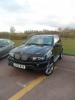
Offers around the £8,500

Full service history

Just 100,000 miles

Fully loaded

Plus parrot fitted and one off chrome mesh grills

New front sway arms and rear sub frame bushes fitted this year

So your going porsche on us?

  • Author

Only if I can sell the X5 I'm not going all out to sell it and would be happy to keep it

Damn shame Christian :(

  • Author

Don't worry dabs I'll be sticking around I still got my dads 7 series to keep pristeen for when it's mine . Plus I still love my X5 and won't be letting it go just for the sake of it

eBay disclaimer: As the club is an eBay Partner, The club may be compensated if you make a purchase you make on eBay via the club.

DISCLAIMER: Bimmerownersclub.com is an independent BMW car forum for owners of BMW vehicles. The club is not part of BMW nor affiliated with or endorsed by the offical BMW AG in any way. The material contained in the forums is submitted by the general public, and is not endorsed by Bimmer Owners Club, BMW AG, or Bayerische Motoren Werke AG. The official website for BMW AG can be found at http://www.bmw.co.uk
Background Picker
Customize Layout

Configure browser push notifications

Chrome (Android)
  1. Tap the lock icon next to the address bar.
  2. Tap Permissions → Notifications.
  3. Adjust your preference.
Chrome (Desktop)
  1. Click the padlock icon in the address bar.
  2. Select Site settings.
  3. Find Notifications and adjust your preference.