Jump to content
View in the app

A better way to browse. Learn more.

Bimmer Owners Club - BMW Forum for BMW Owners

A full-screen app on your home screen with push notifications, badges and more.

To install this app on iOS and iPadOS
  1. Tap the Share icon in Safari
  2. Scroll the menu and tap Add to Home Screen.
  3. Tap Add in the top-right corner.
To install this app on Android
  1. Tap the 3-dot menu (⋮) in the top-right corner of the browser.
  2. Tap Add to Home screen or Install app.
  3. Confirm by tapping Install.

Featured Replies

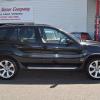
Hi, I've just bought a 2006 x5 3.0d and I love it but it doesn't have folding mirrors,are there any kits out there that can be fitted

Chris

I am not aware of a kit. You have a lot of checking to do, you need to establish.

If your existing mirrors have the motors fitted and the loom in place you will need the drivers door master switch witch includes the mirror operating button.

The complete mirror assemblies are horrendous in cost (even on Ebay)

With any luck all the wiring is there by default but I am not sure. If it is then it's mirror motors and micro switches and the master switch.

Then with BMW 1.4.0 or INPA you can code them to work

Good Luck let us know how you get on

I am not aware of a kit. You have a lot of checking to do, you need to establish.

If your existing mirrors have the motors fitted and the loom in place you will need the drivers door master switch witch includes the mirror operating button.

The complete mirror assemblies are horrendous in cost (even on Ebay)

With any luck all the wiring is there by default but I am not sure. If it is then it's mirror motors and micro switches and the master switch.

Then with BMW 1.4.0 or INPA you can code them to work

Good Luck let us know how you get on g.png

can you show me link ebay it?

Latest Deals

BMW Official Store for genuine BMW parts & accessories

Disclaimer: As the club is an eBay Partner, The club may be compensated if you make a purchase via eBay links

Join the conversation

You can post now and register later. If you have an account, sign in now to post with your account.
Note: Your post will require moderator approval before it will be visible.

Guest
Reply to this topic...
eBay disclaimer: As the club is an eBay Partner, The club may be compensated if you make a purchase you make on eBay via the club.

DISCLAIMER: Bimmerownersclub.com is an independent BMW car forum for owners of BMW vehicles. The club is not part of BMW nor affiliated with or endorsed by the offical BMW AG in any way. The material contained in the forums is submitted by the general public, and is not endorsed by Bimmer Owners Club, BMW AG, or Bayerische Motoren Werke AG. The official website for BMW AG can be found at http://www.bmw.co.uk
Background Picker
Customize Layout

Configure browser push notifications

Chrome (Android)
  1. Tap the lock icon next to the address bar.
  2. Tap Permissions → Notifications.
  3. Adjust your preference.
Chrome (Desktop)
  1. Click the padlock icon in the address bar.
  2. Select Site settings.
  3. Find Notifications and adjust your preference.