Jump to content
View in the app

A better way to browse. Learn more.

Bimmer Owners Club - BMW Forum for BMW Owners

A full-screen app on your home screen with push notifications, badges and more.

To install this app on iOS and iPadOS
  1. Tap the Share icon in Safari
  2. Scroll the menu and tap Add to Home Screen.
  3. Tap Add in the top-right corner.
To install this app on Android
  1. Tap the 3-dot menu (⋮) in the top-right corner of the browser.
  2. Tap Add to Home screen or Install app.
  3. Confirm by tapping Install.

Ezzy

Members
  • Joined

  • Last visited

Everything posted by Ezzy

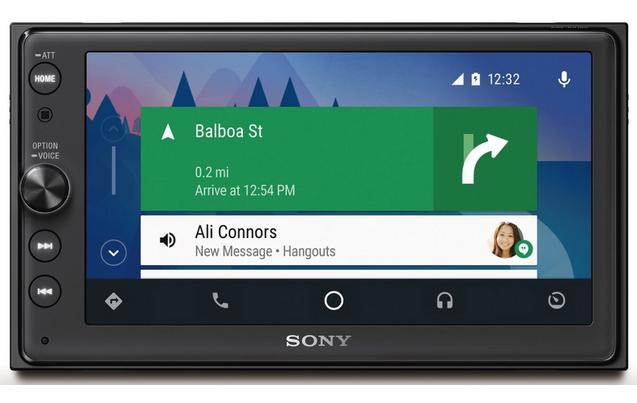
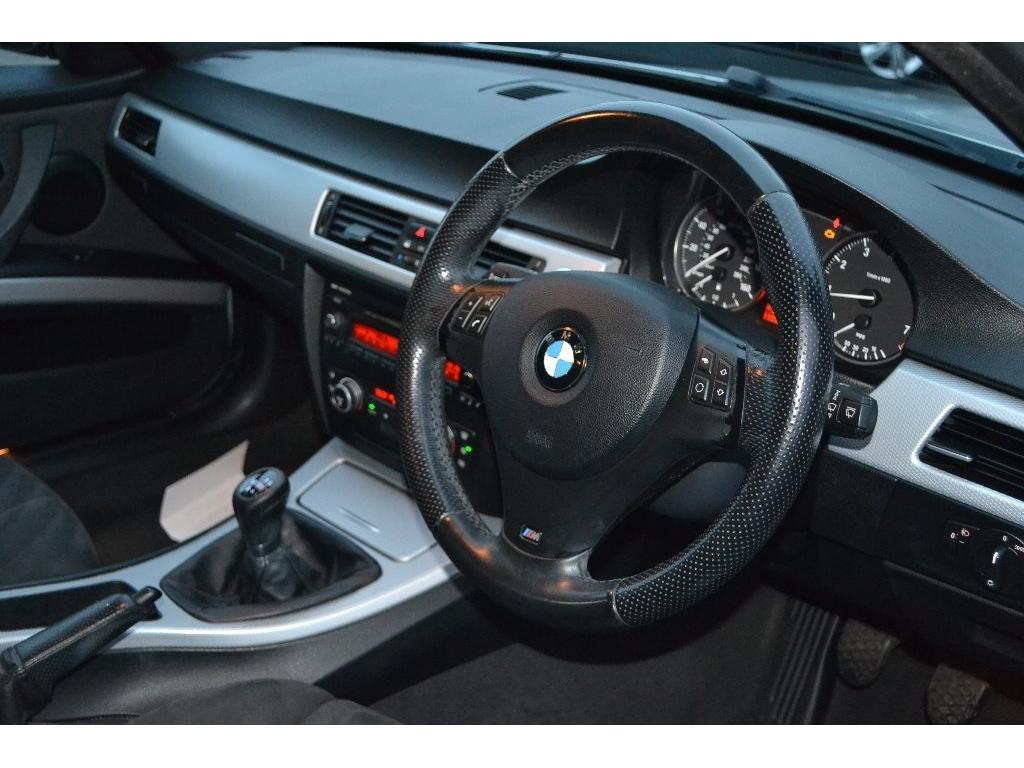
  1. Hi All, I'm new here and about to purchase a 2007 E90 3 Series M Sport 4Dr. At present the one I'm looking to go for has the standard BMW Professional audio system and the climate control rack below. (See attached image). I was wondering if anyone has any experience installing an Android Auto style system (I know there are ones from Kenwood or the Sony XAV-AX100 attached), and if they will fit easily with the space currently available? I'm very new to BMW's and even installing aftermarket entertainment systems, but I think fascias etc will be needed? Look forward to any and all replies, and thanks for reading!
eBay disclaimer: As the club is an eBay Partner, The club may be compensated if you make a purchase you make on eBay via the club.

DISCLAIMER: Bimmerownersclub.com is an independent BMW car forum for owners of BMW vehicles. The club is not part of BMW nor affiliated with or endorsed by the offical BMW AG in any way. The material contained in the forums is submitted by the general public, and is not endorsed by Bimmer Owners Club, BMW AG, or Bayerische Motoren Werke AG. The official website for BMW AG can be found at http://www.bmw.co.uk
Background Picker
Customize Layout

Configure browser push notifications

Chrome (Android)
  1. Tap the lock icon next to the address bar.
  2. Tap Permissions → Notifications.
  3. Adjust your preference.
Chrome (Desktop)
  1. Click the padlock icon in the address bar.
  2. Select Site settings.
  3. Find Notifications and adjust your preference.