


JustCONNECT
Regular Member
-
Joined
-
Last visited
-
 To Be honest, the Navi is not great anyway. I always used a Tom Tom anyway. The only product I would suggest fitting Is the Dension GW500S BT for iPod, USB and Phone. They do a programming tool also, no need to send away to be coded. Email me if you require info [email protected] Cheers
 -
Hi Dave, I have done a installation of a Focal system into a E93. Same set up really. It sounded great, new speakers up front and a focal iBus 2.1 in the boot. This amplifies the front speakers, tweeters and under seat subs. Then adds a small low pass 8" woofer for the boot. I had mine sounding great. We are trade so if you require one I maybe able to get one a little cheaper as you are on the forum. Thanks Pete [email protected] JustCONNECT
-
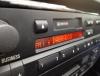
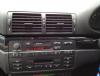
Hi All, we fitted out a 2001 E46 with semi integrated DAB and DAB+ last week. Install was simple and very effective. station name on the radio and quick response from the radio display. Get the sports channels in quality sound and have all that content at a touch of a button www.justconnectme.co.uk Fitted for £189 at home or a place of work
-
Hi All, On the fibre system even though the cables and fibres are ready in the boot. You may need to activate the head unit to use the Cd Changer. This can only be done by the dealer or diagnostic tool. The Professional and iDrive system is only compatible not the Business as far as i'm aware. Cheers
-
Hi all, In my opinion there is only one product to integrate iPod or iPhone into your system. If you don't have the USB and AUX in the Bmw then the Dension GW500 is your product. On the factory iDrive system this will show all you playlist, artist and album search. Full ABC and charging of your device in the glove box. It looks factory and is controlled through your factory controls. Little costly but worth every penny
- 5 replies
-
- car adapter
- car audio
- aux
- head unit
-
Tagged with:
-
Hi, The module is on the Nearside boot panel on the wheel arch nearest the back seat. Do you Communication in the start menu on the iDrive (Click the centre on start screen) This is how you pair the Bluetooth. Or check the arm rest for a cradle holder. On the 2008, I would go for a Fiscon OE Style Bluetooth kit, this will work all the buttons on the steering wheel and the iDrive will show the address book and calls. Great system. The car will probably need to be coded for the telematics setting. This can be done at a dealer or specialist with the correct programming tool.
-
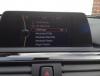
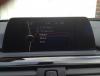
Hi All, We have sorted the integrated DAB interface for the new F series BMW entertainment system. This is a 3rd installation for all those cars that were before mid 2013 standard fit. Price on this installed at you home or place of work is £229 www.justconnectme.co.uk Any questions please give us a shout.
-
Hi All, Need some help if possible. I have a customer with a 2002 7 series with iDrive, he has no audio apart from a rumble from under the seats. How are these amplified, I guess from the in dash unit. As we cant find an AMP in the rear. Or am I looking in the wrong place, photos would be great.
-
I Didn't think this unit or CDC can read this format. :-(
-
Hi All, I have had fitted to my E91 2011 some Focal integration speakers. I must say that the experience is fantastic. They are a little costly but they fit well and plug and play. All the parts to fit come in the box, even down to replacement clips and trim tools. Here is a link: http://www.focal.com/en/58-plug-play- I have heard the Alpine range which also are good. But I must recommend these for all of us with a great car but poor sound from the business or Professional head unit. Cheers Jono
-
Hi All, We have just released a fully integrated DAB+ kit that connects via the USB on the Dension Gateway 500 or 500S. This will allow factory style DAB+ into the system via the USB input on the Gateway. Control will be done via the steering wheel or iDrive Mask or CCC system. Professional CD also works. Looks cracking on the larger screen. We supply and fit for £239 at your home or place of work. Cheers Jono
-
Hi If your not sorted yet there is a new dealer (18 months ago) set up in Newbury G7 Sounds http://www.g7sounds.co.uk/ This guy Gavin is a great dealer and very customer focused on what they want, he has done a few upgrades on E39 using factory radio and also changing for Alpine etc. It maybe worth a chat Cheers Jono
-
-
Welcome Jordan
-
Hi All, Just a quick note, that I have seen in lots of occasions when a vehicle has had the rear windows tinted on a X5 E53 you will get audio/Tuner and Navi issues only when the 16.9 Navigation is fitted. This is due to when the rear quarter glass is tinted the water will run straight down onto the electrics. Tuner module and Navi/CDC. When buying or having issues, keep this in mind. It can get quite costly. Cheers Jono





eBay disclaimer: As the club is an eBay Partner, The club may be compensated if you make a purchase you make on eBay via the club.
DISCLAIMER: Bimmerownersclub.com is an independent BMW car forum for owners of BMW vehicles. The club is not part of BMW nor affiliated with or endorsed by the offical BMW AG in any way. The material contained in the forums is submitted by the general public, and is not endorsed by Bimmer Owners Club, BMW AG, or Bayerische Motoren Werke AG. The official website for BMW AG can be found at http://www.bmw.co.uk
DISCLAIMER: Bimmerownersclub.com is an independent BMW car forum for owners of BMW vehicles. The club is not part of BMW nor affiliated with or endorsed by the offical BMW AG in any way. The material contained in the forums is submitted by the general public, and is not endorsed by Bimmer Owners Club, BMW AG, or Bayerische Motoren Werke AG. The official website for BMW AG can be found at http://www.bmw.co.uk