h4rris
Regular Member
-
Joined
-
Last visited
Everything posted by h4rris
-
 Good answer !
 -
-
-
Hi guys I have a 2001 pre facelift 320 D.. looking to upgrade the rear lights to LED lights similar to the M sport coupe versions... found this website used a couple of time here referenced for selling good quality products, saw a couple of people say that the after market ones can look nasty..? But just wanted to make sure these were okay before committing to purchase ... heres the site http://www.mstyle.co.uk/acatalog/info_D02LB046.html thank you !
-
Hi DazH! Thank you for your reply! Okay that's great! I'm sure there are different devices that do relatively similar things from halfords, right? Doesn't necessarily need to be a TV, something to fill the double din space would be brill! Also, what do you mean replace the bulbs? I have no knowledge of these things, will it look the same as the LED ones? That's the look I'm trying to go for :) Also, is it possible to fit the projector head lights as well? Sorry for all my questions... Such a virgin haha
-
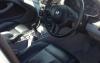
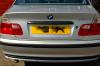
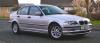
Hi guys! I'm Harry, 18, and I purchased by first BMW back in October '12... upgrading to a 2001 pre facelift 320D from a 1.0 Nissan Micra !! Always always loved big heavy powerful cars... would love a 5.0 petrol range rover! However.... I bought my BMW which is a sport version according to my insurance company (no idea what this means... it's not an M sport though???) It has the leather interior etc, CD multi changer, but I'm looking to make a few upgrades. As it stands my car has the standard everything, alloys, rear and front head lights, TAPE player (were they even popular in 2001!?) but also has climate control etc. I'd like the make the following changes: - LED Rear lights - 18'' Alloy wheels - Angel Lights with projection lights - Sat Nav/TV in the dash - if possible.... I know fitting a sat nav or TV includes moving the climate control, but I have a friend who works in mechanics (fitting parrots, lights etc) but I am none the wiser when it comes to all this techo-poo.. I have no idea whether it's possible to do it anymore, how much it would cost me, what it involves doing.. so if anyone could fill me in please do!? I have the wheels and the LED lights sorted to mainly all I need to know about is the front head lamps as well. I have seen it online where people have retro fitted them themselves, and it looks awesome, except I can't find the appropriate lamps anywhere online (clearly not looking hard enough). I'd also like to be able to hook them up to my ignition so they come on as daytime running lights when I turn on the car, any information would be brilliant! Great forum, look forward to getting involved! Below are a few pics I currently have but will take some more!