


ringrozzer
Regular Member
-
Joined
-
Last visited
-
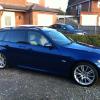 I'm new too this site, but have owned 5 BMW's over the years, including: 1) a white 1972 2002tii ( which I wish I had never sold!!). Two E30's: 2) a 1986 325i 4 dr saloon ( an abolutely cracking car, with a lovely smooth engine). 3) a 1987 318i 2 dr saloon. I then had a break from BMW's for a few years until I a bought: 4) a lovely 2000 "W" reg 528i se auto saloon. Now I own my favourite of them all ( except my old 2002 tii): 5) a 2007 E91 325d M Sport Touring Autonwith Bluefin remap, this car is lovely its just quick enough and practical; I think I'll keep this one for a good few years. Thinking about my old cars has got me thinking about 2002's, so I'm off to dream about another 200tii........
 -
Hi, found this forum via google... Looking forward to lots of good advice when needed, hopefully I won't need it for a while yet!
eBay disclaimer: As the club is an eBay Partner, The club may be compensated if you make a purchase you make on eBay via the club.
DISCLAIMER: Bimmerownersclub.com is an independent BMW car forum for owners of BMW vehicles. The club is not part of BMW nor affiliated with or endorsed by the offical BMW AG in any way. The material contained in the forums is submitted by the general public, and is not endorsed by Bimmer Owners Club, BMW AG, or Bayerische Motoren Werke AG. The official website for BMW AG can be found at http://www.bmw.co.uk
DISCLAIMER: Bimmerownersclub.com is an independent BMW car forum for owners of BMW vehicles. The club is not part of BMW nor affiliated with or endorsed by the offical BMW AG in any way. The material contained in the forums is submitted by the general public, and is not endorsed by Bimmer Owners Club, BMW AG, or Bayerische Motoren Werke AG. The official website for BMW AG can be found at http://www.bmw.co.uk