JCNY
Members
-
Joined
-
Last visited
Everything posted by JCNY
-
Hi Greydog, While I had some troubles loading INPA from my laptop, I want to report back that I have successfully re-coded the RDS module using Pro Tool. Now all is working perfectly! Thanks for all your previous help! Best, JC
-
Hi Greydog, Thanks for your time checking on the i-Carsoft unit! I will be looking to obtain a copy of the ISTA then! Best, JC
-
Thank you Greydog for your help! Yes, the Maxi unit reprogrammed the RDC but it does not correctly erase the old RDC coding data. That’s why it only work until I stopped the car. Now I know I need another tool to get the job done. 🙂 I will be waiting for your answer! Thanks!
-
I used another ODB reader, I am able to get additional information about the error code. It looks like the used RDC is not properly reprogrammed to work with my car. Do you know if the I-Carsoft 3 or Foxwell 510 is able to reprogram the RDC properly and resolves the errors? Or if the BMW INPA/ISTA the only tool that can fix it? Thanks!
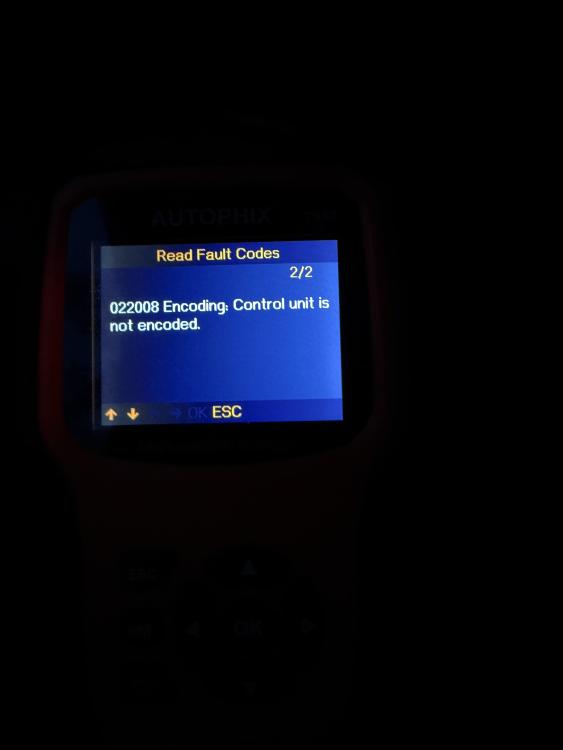
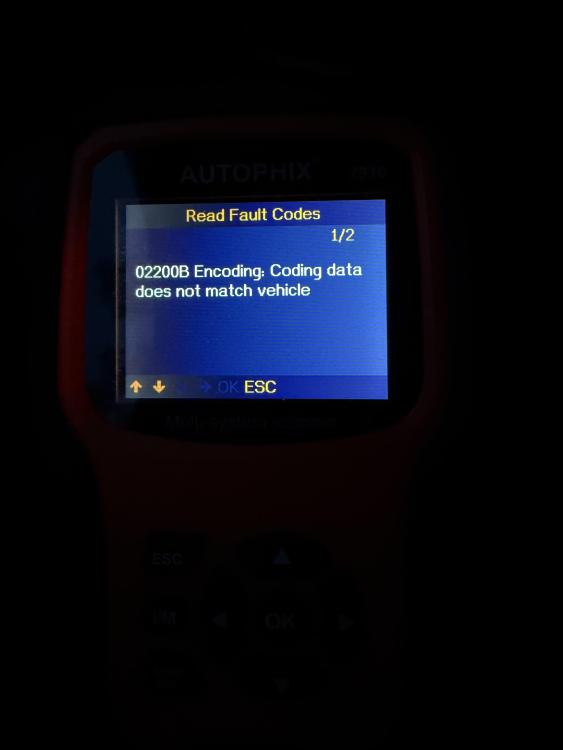
-
Thank you Greydog. I will be looking into these units!
-
Hi Greydog, Thanks for the detailed information. This is very helpful! 😀 Since I am new to this, do you recommend any model around $100 that I could complete with the diagnostic? Many thanks!
-
Thanks for the reply, Greydog. I also have a generic ODBC scanner. I am going to give it a try to see if I could find more details of the error code. Since I have already replaced all 4 new tire sensors and a used RDC, I am not sure if the issue is the RDC. I am also interested to learn more about the BMW INPA/ISTA. Do you have a link by any chance? Many thanks!
-
Thanks Greydog! I have not tried the battery unplug. But I have purchased Autel TS508 to try out and it found the error below from the ODBC scan. I tried to erase the DTC from this menu and the TPM is working again until I left the car for a few hours. Does anyone know what is causing the error? Thanks!
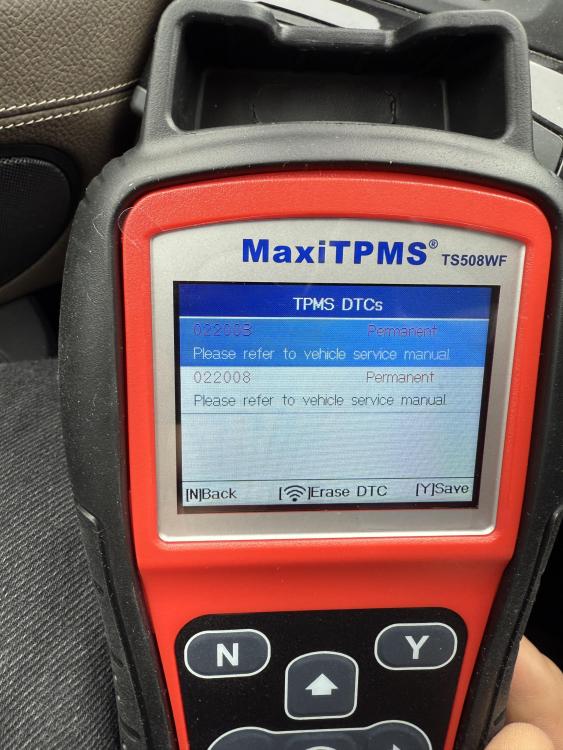
-
Hi all, I have the exact same issue with my 2014 X3. I brought the car to a local mechanic. He replaced all 4 tire sensors due to low battery. He also changed the RDC sensor because the old one was defective. I bought a used one from eBay that the mechanic programmed to match with the tire sensors. The TPM works fine until I parked the car overnight. I bought the car back for the mechanic to fix it but it only work until I parked overnight. It seems like the settings does not save in the memory. I am still unsure if I have a defective used RDC unit. @Waken, could you please tell me what you do to fix the error? Are you able to use the Autel 508 to reprogram the new RDC controller yourself? If so, I would like to get one as well. Thanks in advance for any information you can provide to help! Best, JC