
Jump to content
View in the app

A better way to browse. Learn more.

Bimmer Owners Club - BMW Forum for BMW Owners

A full-screen app on your home screen with push notifications, badges and more.

To install this app on iOS and iPadOS
  1. Tap the Share icon in Safari
  2. Scroll the menu and tap Add to Home Screen.
  3. Tap Add in the top-right corner.
To install this app on Android
  1. Tap the 3-dot menu (⋮) in the top-right corner of the browser.
  2. Tap Add to Home screen or Install app.
  3. Confirm by tapping Install.

danilo

Regular Member
  • Joined

  • Last visited

Everything posted by danilo

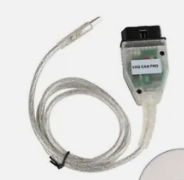
  1. HI, can someone help me to Download ISTA, Install and configuration ? the ISTA can work with this cable?
  2. Hi Dave, Thanks for help. This morning, I checked the vehicle and one fuse is broken. I replaced and all is nice now. The fuse I finded inside on bonnet, near cabin filter.
  3. Hello everyone, I have a bmw series 1 and had an accident last week. I fixed the battery cable but the car still won't start. When I try to turn it on, it seems like it's going to turn on, but it doesn't. it makes that signal that the battery has no charge which is not true. Anyone can help me please?
Background Picker
Customize Layout

Configure browser push notifications

Chrome (Android)
  1. Tap the lock icon next to the address bar.
  2. Tap Permissions → Notifications.
  3. Adjust your preference.
Chrome (Desktop)
  1. Click the padlock icon in the address bar.
  2. Select Site settings.
  3. Find Notifications and adjust your preference.