


Timus
Members
-
Joined
-
Last visited
Everything posted by Timus
-
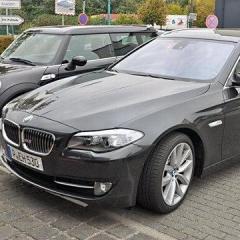 Hi Javed, I also have halogen lights on my 520, and would love to change my angel eyes to the bright ones you see on f10's with xenon lights. But i was just wandering did you only change your halogen headlights to xenon, or also your angel eyes. Because in the picture it looks like the angel eyes are still the same. thanks, Thomas
