
Jump to content
View in the app

A better way to browse. Learn more.

Bimmer Owners Club - BMW Forum for BMW Owners

A full-screen app on your home screen with push notifications, badges and more.

To install this app on iOS and iPadOS
  1. Tap the Share icon in Safari
  2. Scroll the menu and tap Add to Home Screen.
  3. Tap Add in the top-right corner.
To install this app on Android
  1. Tap the 3-dot menu (⋮) in the top-right corner of the browser.
  2. Tap Add to Home screen or Install app.
  3. Confirm by tapping Install.

thelegend

Regular Member
  • Joined

  • Last visited

  1. Interesting comments. I've just bought one a few days ago. Will wait and see how she goes on fuel consumption.
  2. Any joy with this Alan? I have same issue. Replacement ribbons available cheaply for mid system but complicated to replace it seems. As stated above, there seems to be a company on EBay offering a repair service.
  3. Hello, new member here. Have driven new models for several years through work but never owned one. Recently decided I needed a small, economical, practical runaround...... and stumbled upon a 2001 728i for sale locally. I was instantly smitten, and it seemed great value, so the deal was done. Only had it a few days but am already in love! Anyway, there are a few niggles I've noticed so will post questions in the relevant areas in due course. Cheers for now.
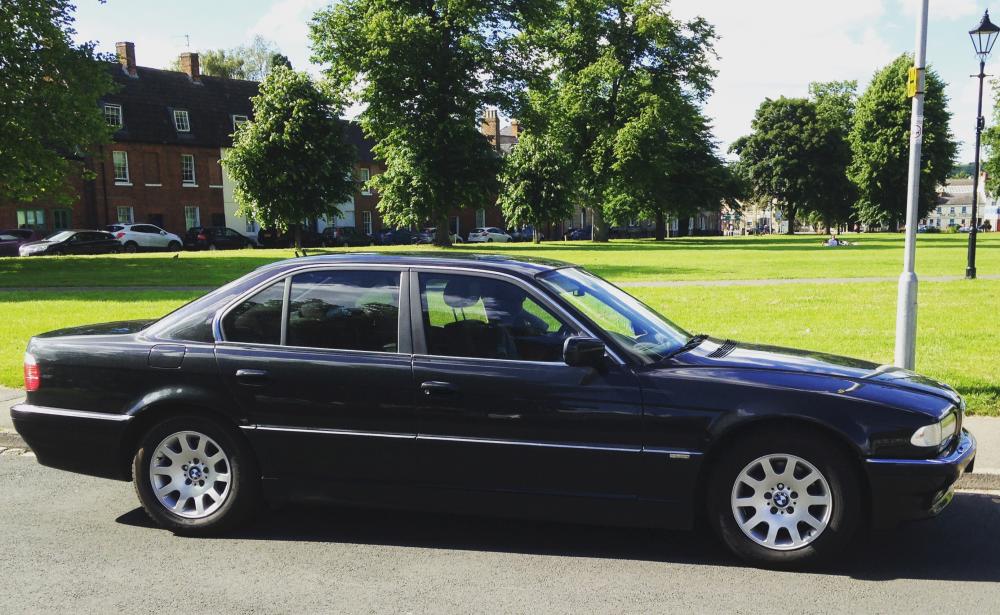
  4. Google search when browsing for solutions to certain anticipated 7 series problems! Will post questions in due course. Nice site btw.
eBay disclaimer: As the club is an eBay Partner, The club may be compensated if you make a purchase you make on eBay via the club.

DISCLAIMER: Bimmerownersclub.com is an independent BMW car forum for owners of BMW vehicles. The club is not part of BMW nor affiliated with or endorsed by the offical BMW AG in any way. The material contained in the forums is submitted by the general public, and is not endorsed by Bimmer Owners Club, BMW AG, or Bayerische Motoren Werke AG. The official website for BMW AG can be found at http://www.bmw.co.uk
Background Picker
Customize Layout

Configure browser push notifications

Chrome (Android)
  1. Tap the lock icon next to the address bar.
  2. Tap Permissions → Notifications.
  3. Adjust your preference.
Chrome (Desktop)
  1. Click the padlock icon in the address bar.
  2. Select Site settings.
  3. Find Notifications and adjust your preference.