


NickMKats
Regular Member
-
Joined
-
Last visited
-
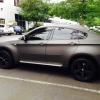 I love mine, its awesome. 69k miles. I'm having some minor issues with mine and I'm going to work out some of the kinks with the X6. I hope to post some of the things I learn while I'm working through some of the issues. Love it though, great sled.
 -
Googled 'BMW Owners Club', you all look like you had a really solid site. Hope this helps!
