


loftybeemer
Regular Member
-
Joined
-
Last visited
-
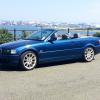 My radio/nav stopped working for a week and suddenly came on earlier whilst driving...it was flickering on and off quickly and wen I managed to sustain sound for a cpl of minutes the sat nav wld randomly start givin me directions...I have changed the fuses 7 and 41 also the one on bk of unit...I av disconnected battery...and still not working...I dnt even knw wat radio/nav it is
 -
Hi guys I'm new to club hope to get educated on my bmw lol
eBay disclaimer: As the club is an eBay Partner, The club may be compensated if you make a purchase you make on eBay via the club.
DISCLAIMER: Bimmerownersclub.com is an independent BMW car forum for owners of BMW vehicles. The club is not part of BMW nor affiliated with or endorsed by the offical BMW AG in any way. The material contained in the forums is submitted by the general public, and is not endorsed by Bimmer Owners Club, BMW AG, or Bayerische Motoren Werke AG. The official website for BMW AG can be found at http://www.bmw.co.uk
DISCLAIMER: Bimmerownersclub.com is an independent BMW car forum for owners of BMW vehicles. The club is not part of BMW nor affiliated with or endorsed by the offical BMW AG in any way. The material contained in the forums is submitted by the general public, and is not endorsed by Bimmer Owners Club, BMW AG, or Bayerische Motoren Werke AG. The official website for BMW AG can be found at http://www.bmw.co.uk