


BigB
Members via FB
-
Joined
-
Last visited
-
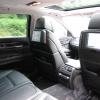 So i have had my F02 for nearly a year now, and a couple days ago i noticed a violent shift from 3rd to 4th then a quick change to %th while going up hill, so i put my foot down and the car over revved and the transmission fault light came on. So i pulled over and switched the car off. When i re started it the error had gone and the car drove fine. When i drove down from The higlands to Edinburgh last week it did this 6 times and i have been waiting to take it to a BMW garage as my local have said i need to take it to an automatic specialist. Got in the car today to drive down and it wont recognise when i put it into reverse or into drive. It takes a while and it violently changes into that gear. Anyone else had any issues with their transmissions.
 -
Is it the 24v version. Used to have one ages ago. Really lovely and surprisingly fast cars. i am new to so nice to someone else new. Welcome mate.
-
I would have thought as one of the options would be the distinct soundtrack BMW's have. If you know them well you can pick em out without seeing them. :-)
-
Thank you all for your kind welcome. Seems it will only let me post two photo's.Oh well. i do have more but i will post them in the lonely & series forum :-)
-
do i just upload to the gallery?
Hello fellow Bavarian lovers. Its been a while and i am glad i have finally joined and hope to meet a lot of people who share the same passion for what is arguably the best all round car maker.

