


russthomas3
Regular Member
-
Joined
-
Last visited
-
 Thanks for that. Good advice.
 -
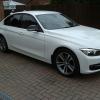
Hi, I am new to the BMW world, This is my first BMW after years of waiting. I have just got my 2012 3 series (F30) sport and am delighted with it. The only thing i wish it had was a sat nav. Can anyone enlighten me as to how easy they are to fit and what is needed. The first one i am looking at is: http://www.ebay.co.u...=item3f3a18949c Secondly: http://www.dynavinst...30-cic-d99.html Any advice would be most welcome.
-
Sorry, the two links did not work here they are again (fingers crossed) First http://www.ebay.co.uk/itm/BMW-F30-F31-F35-CIC-Navigation-System-Retrofit-/271557629084?pt=UK_In_Car_Technology&hash=item3f3a18949c Secondly http://www.dynavinstore.com/shop/bmw-series/dynavin-dvn-f30-cic-d99.html
-
Hi, I am new to the BMW world. I have just got my 2012 3 series (F30) sport and am delighted with it. The only thing i wish it had was a sat nav. Can anyone enlighten me as to how easy they are to fit and what is needed. The first one i am looking at is: http://www.ebay.co.uk/itm/BMW-F30-F31-F35-CIC-Navigation-System-Retrofit-/271557629084?pt=UK_In_Car_Technology&hash=item3f3a18949c Secondly: http://www.dynavinstore.com/shop/bmw-series/dynavin-dvn-f30-cic-d99.html Any advice would be welcome.
eBay disclaimer: As the club is an eBay Partner, The club may be compensated if you make a purchase you make on eBay via the club.
DISCLAIMER: Bimmerownersclub.com is an independent BMW car forum for owners of BMW vehicles. The club is not part of BMW nor affiliated with or endorsed by the offical BMW AG in any way. The material contained in the forums is submitted by the general public, and is not endorsed by Bimmer Owners Club, BMW AG, or Bayerische Motoren Werke AG. The official website for BMW AG can be found at http://www.bmw.co.uk
DISCLAIMER: Bimmerownersclub.com is an independent BMW car forum for owners of BMW vehicles. The club is not part of BMW nor affiliated with or endorsed by the offical BMW AG in any way. The material contained in the forums is submitted by the general public, and is not endorsed by Bimmer Owners Club, BMW AG, or Bayerische Motoren Werke AG. The official website for BMW AG can be found at http://www.bmw.co.uk