


d1986scott
Members via FB
-
Joined
-
Last visited
-
 Cant believe i never knew this!! Perhaps i leant on the remote and triggered it that way? Ive had no problems with it since, thanks for the info daz!
 -
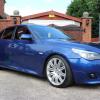
Good morning all, first post on here so go steady on me :D so i parked my car on the drive lastnight and locked her up, and came out to it this morning to find all windows down and the doors unlocked!! Im scratching my head to think what could of happened maybe i had accidentally unlocked it again by pressing the remote in my pocket but cannot explain why the windows would be down? Has anybody else had a similar problem or know of anybody who has? Its a 2006 525d m sport. Thanks in advance. Dan
eBay disclaimer: As the club is an eBay Partner, The club may be compensated if you make a purchase you make on eBay via the club.
DISCLAIMER: Bimmerownersclub.com is an independent BMW car forum for owners of BMW vehicles. The club is not part of BMW nor affiliated with or endorsed by the offical BMW AG in any way. The material contained in the forums is submitted by the general public, and is not endorsed by Bimmer Owners Club, BMW AG, or Bayerische Motoren Werke AG. The official website for BMW AG can be found at http://www.bmw.co.uk
DISCLAIMER: Bimmerownersclub.com is an independent BMW car forum for owners of BMW vehicles. The club is not part of BMW nor affiliated with or endorsed by the offical BMW AG in any way. The material contained in the forums is submitted by the general public, and is not endorsed by Bimmer Owners Club, BMW AG, or Bayerische Motoren Werke AG. The official website for BMW AG can be found at http://www.bmw.co.uk