


timrem1968
Regular Member
-
Joined
-
Last visited
-
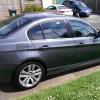 If michaelangelo was around today. He would be a designer for BMW. Lol
 -
Has anyone new to BMW s spent hours just looking at your BM the lines are perfect. This may sound sad but I just stand in the garden looking at mine love the lines my missus thinks I am sad. I don't care
-
Hi all Can anyone tell me the best place to go for a performance exhaust near the east Midland and also is it worth having a remap on a 325i e93 saloon any idea how much extra HP I could get out of it. Also is it worth putting a performance air filter in thanks
-
Thanks Tom not to far from me
-
Cheers looking forward to going to some meets
-
Hi my name's Tim from Nottingham just bought my first BMW haven't wiped the grin off my face yet. Does anyone meet up around nottingham?


eBay disclaimer: As the club is an eBay Partner, The club may be compensated if you make a purchase you make on eBay via the club.
DISCLAIMER: Bimmerownersclub.com is an independent BMW car forum for owners of BMW vehicles. The club is not part of BMW nor affiliated with or endorsed by the offical BMW AG in any way. The material contained in the forums is submitted by the general public, and is not endorsed by Bimmer Owners Club, BMW AG, or Bayerische Motoren Werke AG. The official website for BMW AG can be found at http://www.bmw.co.uk
DISCLAIMER: Bimmerownersclub.com is an independent BMW car forum for owners of BMW vehicles. The club is not part of BMW nor affiliated with or endorsed by the offical BMW AG in any way. The material contained in the forums is submitted by the general public, and is not endorsed by Bimmer Owners Club, BMW AG, or Bayerische Motoren Werke AG. The official website for BMW AG can be found at http://www.bmw.co.uk