G-Dog
Regular Member
-
Joined
-
Last visited
-
I had this for a while after first buying the car. Had a couple of hairy moments on the motorway - even pulled over and checked the tyres thinking I'd got a flat. The car failed an MOT shortly afterwards and had to have the offside rear coil spring replaced (it was broken) - and I haven't had the wobbles since. Might be worth a look.
-
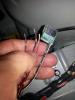
Hi Seeking a bit of assistance. After trouble shooting the alarm on my W Reg (2000) 2.0L BMW Z3 mysteriously going off randomly, I found that the well on the LHS of the boot had been full of water, submerging the Inclination sensor, causing it to corrode and no doubt trigger false alarms. I understand from trawling online information this is quite a common issue, with water ingress likely when the vehicle is parked facing uphill. Water damaged sensor removed and a 2nd hand replacement sensor ordered online, I've set about repairing the connector wiring that had corroded and seperated from the unit (see photo). I've bought a new connector and wires from the dealer, so cutting the old one off and connecting the new should have been straight forward........ The problem is that there are 5 existing wires, 6 ports within the new connector, and 3 wires that have broken free so I don't know which port they should connect into. Has anyone got a photo of an intact connector? Also, 3 of the wires are black with a red stripe; are they interchangeable or do they need to be in specific ports (no doubt another issue if they do).