


Poshman
Regular Member
-
Joined
-
Last visited
-
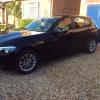 Thank you for the welcome guys I have bought a 116D SE. whatever the SE means i aint got a clue I even thought the 116 meant i have a series 1 with a 1.6 cc but apparently its 1.995 Ive got a year to understand the manual before i retire from work lol Does anybody know why the light switch is on O yet the lights still stay on during the day ? And as for ECO PRO The main difference driving this from my megane is when i put it in 2nd gear the car seems to surge faster maybe its because ive never had a 2 litre ? Cheers P M
 -
Im an old guy with a newish 116D so hi to all :)
-
Im an old guy with a newish 116D so hi to all :)
