


RobShaw
Regular Member
-
Joined
-
Last visited
Everything posted by RobShaw
-
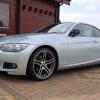 That looks nice Claire,nice alloys too & looks to have been well looked after,must have some nice countryside around you to have the top down too Congrats
 -
True,but you do get some looks from the neighbours who just think your potty,but if you have a nice car you really like then you've got to finish washing it :)
-
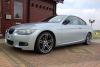
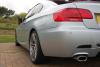
Hi all this is Rob,i am new to this forum,bought a 320i coupe on a 12 plate just 2 weeks ago & am loving it.Had various cars before but my last 4 since 2003 were new Minis but wanted a true BMW for sometime so here i am
-
Been there,done that myself before :D
-
I cannot see any pictures of your BMW either



eBay disclaimer: As the club is an eBay Partner, The club may be compensated if you make a purchase you make on eBay via the club.
DISCLAIMER: Bimmerownersclub.com is an independent BMW car forum for owners of BMW vehicles. The club is not part of BMW nor affiliated with or endorsed by the offical BMW AG in any way. The material contained in the forums is submitted by the general public, and is not endorsed by Bimmer Owners Club, BMW AG, or Bayerische Motoren Werke AG. The official website for BMW AG can be found at http://www.bmw.co.uk
DISCLAIMER: Bimmerownersclub.com is an independent BMW car forum for owners of BMW vehicles. The club is not part of BMW nor affiliated with or endorsed by the offical BMW AG in any way. The material contained in the forums is submitted by the general public, and is not endorsed by Bimmer Owners Club, BMW AG, or Bayerische Motoren Werke AG. The official website for BMW AG can be found at http://www.bmw.co.uk