


Jackieboi
Regular Member
-
Joined
-
Last visited
-
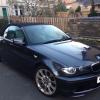 Here she is if it works lol... Oh cool. Nice car by the way!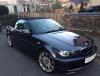
-
I've been trying to do it since three pm. I am lost as to what to do. I've put the standard radio back in, I might have to give in and pay an audio guy to do it. How do you post photos? I'm in Newport :-)
-
Hi all I've just got myself a 2006 3 series M sport convertible, I love it. I'm trying to install my sony Bluetooth sound system... I've managed to get the standard radio out and have connected the sony up. No audio plays through the speakers. Rather than mess about with cutting wires I bought a connector from halfords, that all fits together nicely and the stereo turns on but the audio won't play through the speakers. It has the Harmon Kardon upgrade installed - would this be something to do with the lack of audio? Any help would be greatly appreciated! Thanks jack.

eBay disclaimer: As the club is an eBay Partner, The club may be compensated if you make a purchase you make on eBay via the club.
DISCLAIMER: Bimmerownersclub.com is an independent BMW car forum for owners of BMW vehicles. The club is not part of BMW nor affiliated with or endorsed by the offical BMW AG in any way. The material contained in the forums is submitted by the general public, and is not endorsed by Bimmer Owners Club, BMW AG, or Bayerische Motoren Werke AG. The official website for BMW AG can be found at http://www.bmw.co.uk
DISCLAIMER: Bimmerownersclub.com is an independent BMW car forum for owners of BMW vehicles. The club is not part of BMW nor affiliated with or endorsed by the offical BMW AG in any way. The material contained in the forums is submitted by the general public, and is not endorsed by Bimmer Owners Club, BMW AG, or Bayerische Motoren Werke AG. The official website for BMW AG can be found at http://www.bmw.co.uk