Jump to content
View in the app

A better way to browse. Learn more.

Bimmer Owners Club - BMW Forum for BMW Owners

A full-screen app on your home screen with push notifications, badges and more.

To install this app on iOS and iPadOS
  1. Tap the Share icon in Safari
  2. Scroll the menu and tap Add to Home Screen.
  3. Tap Add in the top-right corner.
To install this app on Android
  1. Tap the 3-dot menu (⋮) in the top-right corner of the browser.
  2. Tap Add to Home screen or Install app.
  3. Confirm by tapping Install.

AndyC555

Members
  • Joined

  • Last visited

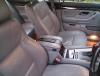
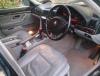
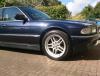
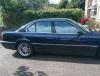
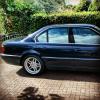
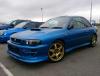
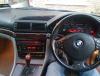
  1. Hello, Bought myself an e38 750 a few months ago. Im from Dublin. First time owning a BMW. Always liked the e38 so it had to be the V12. I have come from many years of Subaru Impreza ownership. I also have a 1998 Impreza STi Type R that I use for track days only. Hope to get some good information and help with the 750 as there doesn't seem to be many on the road in Ireland. Couple of issues I need fixing, PDC not working Cruise Control not working Drivers heated seat not working Airbag light on (BMW diagnostics tells me drivers door) Passenger headlight tilt not working (my headlights say Depo on them so Im thinking they are not OEM) Windscreen rubber surround needs replacing (all cracked and bits missing) Rubber strip at bottom of drivers door peeling off. DME error code 0073 (no idea what this is) Im hoping those are all not too expensive to fix. Andy.
eBay disclaimer: As the club is an eBay Partner, The club may be compensated if you make a purchase you make on eBay via the club.

DISCLAIMER: Bimmerownersclub.com is an independent BMW car forum for owners of BMW vehicles. The club is not part of BMW nor affiliated with or endorsed by the offical BMW AG in any way. The material contained in the forums is submitted by the general public, and is not endorsed by Bimmer Owners Club, BMW AG, or Bayerische Motoren Werke AG. The official website for BMW AG can be found at http://www.bmw.co.uk
Background Picker
Customize Layout

Configure browser push notifications

Chrome (Android)
  1. Tap the lock icon next to the address bar.
  2. Tap Permissions → Notifications.
  3. Adjust your preference.
Chrome (Desktop)
  1. Click the padlock icon in the address bar.
  2. Select Site settings.
  3. Find Notifications and adjust your preference.