


Bowser
Regular Member
-
Joined
-
Last visited
-
-
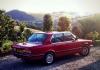
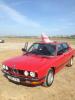
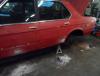
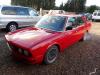
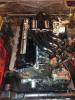
Hello! Have joined after Daz let me know about the forum. I've got an E28 520i which I've owned for about 2-and-a-bit years. She's just about finished undergoing some major restoration (head rebuild, suspension and bodywork respray & refresh) and I'll be picking her up again later today. General bits that have been worked on: Head rebuild & re-fresh Eibach 40mm spings all round Powerflex bushes all round Pipercross filter Electric fan (the viscous coupling has failed more times than I could count, so has bene done away with completely) Re-sprayed and all traces of rust / corrosion removed with new panels undersealed like a boss. She's done just over 153k and has never missed a beat; loves the motorways and just taking it slow and steady :) I'll put some 'finished' pictures up once she's back in my garage at the weekend; If there's anything you want to know, just ask!



eBay disclaimer: As the club is an eBay Partner, The club may be compensated if you make a purchase you make on eBay via the club.
DISCLAIMER: Bimmerownersclub.com is an independent BMW car forum for owners of BMW vehicles. The club is not part of BMW nor affiliated with or endorsed by the offical BMW AG in any way. The material contained in the forums is submitted by the general public, and is not endorsed by Bimmer Owners Club, BMW AG, or Bayerische Motoren Werke AG. The official website for BMW AG can be found at http://www.bmw.co.uk
DISCLAIMER: Bimmerownersclub.com is an independent BMW car forum for owners of BMW vehicles. The club is not part of BMW nor affiliated with or endorsed by the offical BMW AG in any way. The material contained in the forums is submitted by the general public, and is not endorsed by Bimmer Owners Club, BMW AG, or Bayerische Motoren Werke AG. The official website for BMW AG can be found at http://www.bmw.co.uk