
Jump to content
View in the app

A better way to browse. Learn more.

Bimmer Owners Club - BMW Forum for BMW Owners

A full-screen app on your home screen with push notifications, badges and more.

To install this app on iOS and iPadOS
  1. Tap the Share icon in Safari
  2. Scroll the menu and tap Add to Home Screen.
  3. Tap Add in the top-right corner.
To install this app on Android
  1. Tap the 3-dot menu (⋮) in the top-right corner of the browser.
  2. Tap Add to Home screen or Install app.
  3. Confirm by tapping Install.

Uncle_Fester

Members via FB
  • Joined

  • Last visited

Everything posted by Uncle_Fester

  1. Just got it back after having the swirl flaps removed. Got bad brake squeal from the back; strange as they were assembled and lubricated properly. Sorry, posted in wrong place... Delete it lol
  2. Took delivery yesterday, with 68005 on the clock, 12 months mot, 10 months tax. To my surprise there is also a cd multichanger in the boot. Runs sweet as a nut. Happy days.
  3. I was looking at throwing a cd changer in off eBay for about £40, or a BMW business cd off there as I have seen them for about £70.
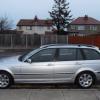
  4. After many years with Rovers, then Honda, I have just got a 320d SE touring auto. It has 68,000 on an 03 plate. It is immaculate inside and out and has fsh. The only things I may want to alter, are adding a CD to it, and connectivity for a phone. Any advice whatsoever concerning the car will be welcomed. Daz
eBay disclaimer: As the club is an eBay Partner, The club may be compensated if you make a purchase you make on eBay via the club.

DISCLAIMER: Bimmerownersclub.com is an independent BMW car forum for owners of BMW vehicles. The club is not part of BMW nor affiliated with or endorsed by the offical BMW AG in any way. The material contained in the forums is submitted by the general public, and is not endorsed by Bimmer Owners Club, BMW AG, or Bayerische Motoren Werke AG. The official website for BMW AG can be found at http://www.bmw.co.uk
Background Picker
Customize Layout

Configure browser push notifications

Chrome (Android)
  1. Tap the lock icon next to the address bar.
  2. Tap Permissions → Notifications.
  3. Adjust your preference.
Chrome (Desktop)
  1. Click the padlock icon in the address bar.
  2. Select Site settings.
  3. Find Notifications and adjust your preference.