Jump to content
View in the app

A better way to browse. Learn more.

Bimmer Owners Club - BMW Forum for BMW Owners

A full-screen app on your home screen with push notifications, badges and more.

To install this app on iOS and iPadOS
  1. Tap the Share icon in Safari
  2. Scroll the menu and tap Add to Home Screen.
  3. Tap Add in the top-right corner.
To install this app on Android
  1. Tap the 3-dot menu (⋮) in the top-right corner of the browser.
  2. Tap Add to Home screen or Install app.
  3. Confirm by tapping Install.

terry1901

Members
  • Joined

  • Last visited

Everything posted by terry1901

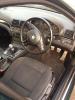
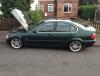
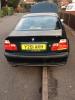
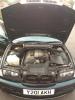
  1. i am looking to swap/sell my 3 series ac schnitzer on a 2001 (y) reg after a more practical (workwise) vehicle have always been told by the bloke i brought it off that its an m3 local car dealers dont seem to know much about it and therefore are reluctant to take it in part-ex how ever after listing it online to try and sell it a few people have said its not an m3 for various reasons (had a few idiots make silly offers including 1 little jobsworth who thought he knew everything about buying and selling bmws) i am now weeking some advice from enthusiasts instead of timewasters as i usually seem to get i know the car to be a german import and have been told its rare however im now unsure of what model it is and would like to know a fair value i should expect to sell it for thanks in advance
eBay disclaimer: As the club is an eBay Partner, The club may be compensated if you make a purchase you make on eBay via the club.

DISCLAIMER: Bimmerownersclub.com is an independent BMW car forum for owners of BMW vehicles. The club is not part of BMW nor affiliated with or endorsed by the offical BMW AG in any way. The material contained in the forums is submitted by the general public, and is not endorsed by Bimmer Owners Club, BMW AG, or Bayerische Motoren Werke AG. The official website for BMW AG can be found at http://www.bmw.co.uk
Background Picker
Customize Layout

Configure browser push notifications

Chrome (Android)
  1. Tap the lock icon next to the address bar.
  2. Tap Permissions → Notifications.
  3. Adjust your preference.
Chrome (Desktop)
  1. Click the padlock icon in the address bar.
  2. Select Site settings.
  3. Find Notifications and adjust your preference.