


wonfa
Regular Member
-
Joined
-
Last visited
-
 ive just bought my car and it has an electric rear blind, when i bought it the guy said it was temperamental and he never used it, it worked once when i tried it (went up and down) but wont go up again, i can hear the blind make a click noise when i press the button but doesn't move,,,,,,any ideas? ive tried to fiddle with it just in case its stuck but to no avail?? craig
 -
yeah 5th lol i like to change.......in total its my 23rd car since i was 17
-
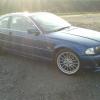
a few pics of her looking nice and shiney :-)
-
My new E46 328ci
-
just a quick hello guys, I picked up my e46 last week having chopped in my e39 so not new to beemers, in fact this is my 5th BMW :) Craig


eBay disclaimer: As the club is an eBay Partner, The club may be compensated if you make a purchase you make on eBay via the club.
DISCLAIMER: Bimmerownersclub.com is an independent BMW car forum for owners of BMW vehicles. The club is not part of BMW nor affiliated with or endorsed by the offical BMW AG in any way. The material contained in the forums is submitted by the general public, and is not endorsed by Bimmer Owners Club, BMW AG, or Bayerische Motoren Werke AG. The official website for BMW AG can be found at http://www.bmw.co.uk
DISCLAIMER: Bimmerownersclub.com is an independent BMW car forum for owners of BMW vehicles. The club is not part of BMW nor affiliated with or endorsed by the offical BMW AG in any way. The material contained in the forums is submitted by the general public, and is not endorsed by Bimmer Owners Club, BMW AG, or Bayerische Motoren Werke AG. The official website for BMW AG can be found at http://www.bmw.co.uk