


rablaw
Regular Member
-
Joined
-
Last visited
-
 Could be the DPF getting a bit clogged up.
 -
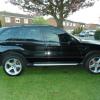
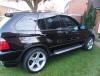
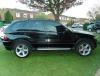
Hi everyone. My name is Rab and I am an avid BMW fan. I have owned a few in my time and currently have 3. A '97 318 Touring, '00 325 Saloon, and my pride and joy a '04 X5 3.0D Sport. I have attached a couple of pics. I am really looking forward to joining the clubs and hopefuly meet up with a few of you guys in the near future. Cheers.


eBay disclaimer: As the club is an eBay Partner, The club may be compensated if you make a purchase you make on eBay via the club.
DISCLAIMER: Bimmerownersclub.com is an independent BMW car forum for owners of BMW vehicles. The club is not part of BMW nor affiliated with or endorsed by the offical BMW AG in any way. The material contained in the forums is submitted by the general public, and is not endorsed by Bimmer Owners Club, BMW AG, or Bayerische Motoren Werke AG. The official website for BMW AG can be found at http://www.bmw.co.uk
DISCLAIMER: Bimmerownersclub.com is an independent BMW car forum for owners of BMW vehicles. The club is not part of BMW nor affiliated with or endorsed by the offical BMW AG in any way. The material contained in the forums is submitted by the general public, and is not endorsed by Bimmer Owners Club, BMW AG, or Bayerische Motoren Werke AG. The official website for BMW AG can be found at http://www.bmw.co.uk