


Mikovitch
Members
-
Joined
-
Last visited
Everything posted by Mikovitch
-
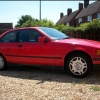 Hey guys, Just picked up a 3 series compact from a friend, so thought I would join the forum in case I need to find out any info if anything should go wrong! This is my first bmw but I have had my eye on it for some time. Normally tinker with 4x4's and classic mini's, so I am used to shredded knuckles and bodged repairs!! See you on the boards (asking stupid noob questions, lol) Mike :)
