


scatrat
Members
-
Joined
-
Last visited
-
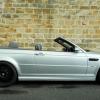 Just like to introduce myself, Im JJ Just bought a 2002 M3 Cab, 6sp Man Love the car Had bmw diesels for last 16 years Thought id have a change and go for a manual,and Petrol Im a mad Ninja biker, have been for 18 years, So ithought a bmw cab would be a good compromise. I have 19" MV alloys on it full eibach suspension kit Std sat nav with a tv that obviously doesnt work as is analogue I not happy at all with the Harmon sound system, very poor, I do not want to change head unit, I cant stand the tinny raspy exhaust noise I defo want to change the air intake for grunty noise I also want a remap and shift light activation and i would like full closure activation on the alarm Apart from that Im happy Greetings from JJ Any other essex peep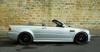

eBay disclaimer: As the club is an eBay Partner, The club may be compensated if you make a purchase you make on eBay via the club.
DISCLAIMER: Bimmerownersclub.com is an independent BMW car forum for owners of BMW vehicles. The club is not part of BMW nor affiliated with or endorsed by the offical BMW AG in any way. The material contained in the forums is submitted by the general public, and is not endorsed by Bimmer Owners Club, BMW AG, or Bayerische Motoren Werke AG. The official website for BMW AG can be found at http://www.bmw.co.uk
DISCLAIMER: Bimmerownersclub.com is an independent BMW car forum for owners of BMW vehicles. The club is not part of BMW nor affiliated with or endorsed by the offical BMW AG in any way. The material contained in the forums is submitted by the general public, and is not endorsed by Bimmer Owners Club, BMW AG, or Bayerische Motoren Werke AG. The official website for BMW AG can be found at http://www.bmw.co.uk