danmemorylane
Regular Member
-
Joined
-
Last visited
-
 Im looking at getting 2 new front tyres for my 1 series and am getting all kinds of quotes. They're low profile 18inch run flats (215 / 40 / R18) Ive also been told that they HAVE to be run flats by some people, and that they dont by others? any advice or cheap links would be appreciated. (currently blackcirlces or etyres look to be the best?) cheers D
-
I'd be interested in knowing where this went? As i've just bought a 118d and am also looking at getting in re-mapped. I saw somebody else in the forum quoted a jump to 195bhp but i imagine thats a bit far fetched? Any advice or links thatll help appreciated. DML
-
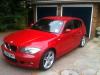
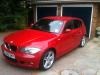
Bought my first BMW the other week and I'm still in the 'excited new bmw owner' stage so thought I'd join! Its a 118d M Sport. Pictures to follow :) Im looking at getting it re-mapped and possibly some other mods so thought i would crawl the forums for some advice and say hey. DML