


M22stv
Regular Member
-
Joined
-
Last visited
-
 hi im new to this and wondering if any of u people out there can help me ive bought a 2004 3.0d sport x5 and have found that most of the tools and stuff for under the boot floor copartment are missing, would any of u guys be able to put a picture of what should be there and where it would sit as want to put it right. any help is appreciated ta.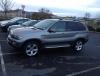
-
