


shaun46
Regular Member
-
Joined
-
Last visited
-
hey mate understand the problem, am a mechanic myself and with you replacing everything you have to understand that your discs being shiny and smooth surfcace at first will be hard for the shows to grip onto! my advise would be to other run them for a while and bed them in or take the discs off, get some emery paper and slightly ruff the inside of the disc so the shows can grip! p.s a have a 3 series and my handbrake is the very same! hope this helps! shaun
-
are the cylinders singly coiled? if so we have had alot of problems with them! but a diag machine would point straight to the problem
-
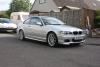
hey guys am shaun from near edinburgh, gladly just bought my first bmw 318 ci msport :)! look forward to talking too everyone!

eBay disclaimer: As the club is an eBay Partner, The club may be compensated if you make a purchase you make on eBay via the club.
DISCLAIMER: Bimmerownersclub.com is an independent BMW car forum for owners of BMW vehicles. The club is not part of BMW nor affiliated with or endorsed by the offical BMW AG in any way. The material contained in the forums is submitted by the general public, and is not endorsed by Bimmer Owners Club, BMW AG, or Bayerische Motoren Werke AG. The official website for BMW AG can be found at http://www.bmw.co.uk
DISCLAIMER: Bimmerownersclub.com is an independent BMW car forum for owners of BMW vehicles. The club is not part of BMW nor affiliated with or endorsed by the offical BMW AG in any way. The material contained in the forums is submitted by the general public, and is not endorsed by Bimmer Owners Club, BMW AG, or Bayerische Motoren Werke AG. The official website for BMW AG can be found at http://www.bmw.co.uk