


joecaz2000
Members
-
Joined
-
Last visited
-
 Hi, I've had this error on my 2017 Mini Cooper F57 Convertible Auto for a while. Error Code: 420106 (Shift lock magnet: Selector lever defective not locked in P) And yes I do understand that it is possible to replace the spring for a tiny cost. But the work involved is laborious and complicated for those of us not mechanically minded. There is also the option of replacing the gear selector, but that is very expensive. The error is more of an annoyance as the car is definitely locked into Park and will definitely not move, and definitely does not affect any safety. So my question is this - It's an electronic module this spring connects to right? Then surely, it can be coded out. Most things can be coded out these days - Perhaps with Bimmercode in Expert mode? Are there any coding gurus out there that might know how to code the module out?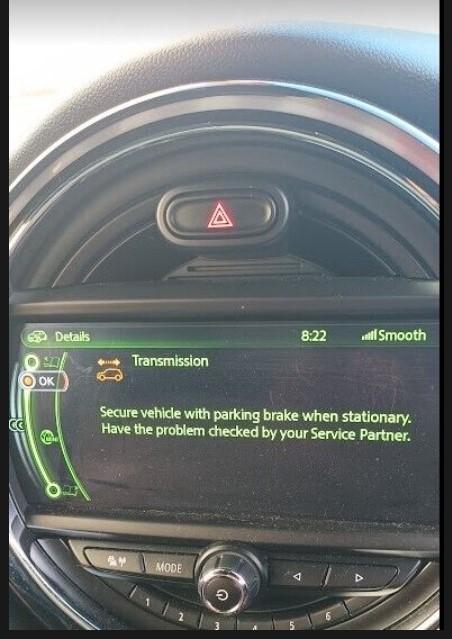

eBay disclaimer: As the club is an eBay Partner, The club may be compensated if you make a purchase you make on eBay via the club.
DISCLAIMER: Bimmerownersclub.com is an independent BMW car forum for owners of BMW vehicles. The club is not part of BMW nor affiliated with or endorsed by the offical BMW AG in any way. The material contained in the forums is submitted by the general public, and is not endorsed by Bimmer Owners Club, BMW AG, or Bayerische Motoren Werke AG. The official website for BMW AG can be found at http://www.bmw.co.uk
DISCLAIMER: Bimmerownersclub.com is an independent BMW car forum for owners of BMW vehicles. The club is not part of BMW nor affiliated with or endorsed by the offical BMW AG in any way. The material contained in the forums is submitted by the general public, and is not endorsed by Bimmer Owners Club, BMW AG, or Bayerische Motoren Werke AG. The official website for BMW AG can be found at http://www.bmw.co.uk