Jump to content
View in the app

A better way to browse. Learn more.

Bimmer Owners Club - BMW Forum for BMW Owners

A full-screen app on your home screen with push notifications, badges and more.

To install this app on iOS and iPadOS
  1. Tap the Share icon in Safari
  2. Scroll the menu and tap Add to Home Screen.
  3. Tap Add in the top-right corner.
To install this app on Android
  1. Tap the 3-dot menu (⋮) in the top-right corner of the browser.
  2. Tap Add to Home screen or Install app.
  3. Confirm by tapping Install.

Mr_M_Cox

Regular Member
  • Joined

  • Last visited

  1. Mr_M_Cox posted a topic in New Members Welcome
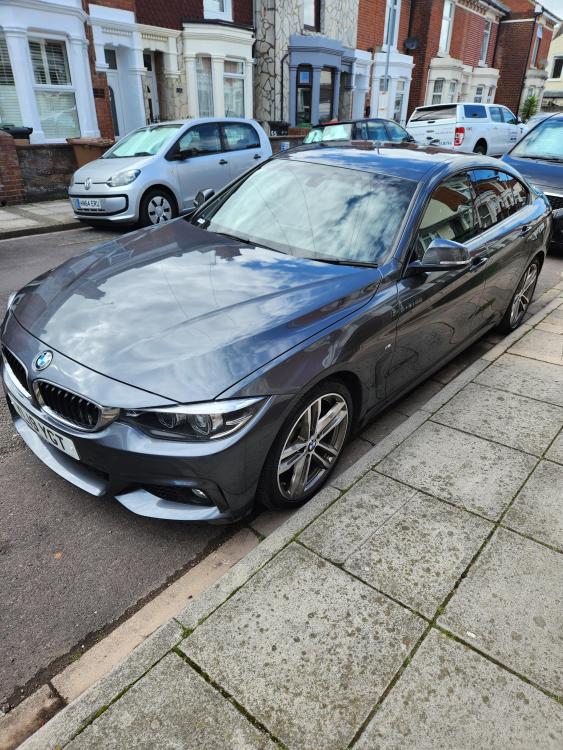
    Hi everyone, New here and about to go buy a 430i GC, if you could spare a sec to help me with any tips, please take a look at my first post here - Looking forward to getting back into a BMW, I had a 530d estate 54 plate back in the day and loved it! Thanks all.
  2. Hi All, New here so good to meet you all. I am going to test drive a 2019 430i GC tomorrow and was wondering if there are any classic issues/faults that I should look out for or any particular features, spec option etc that I should avoid, or indeed, look for as particularly desirable? Thanks all.
Background Picker
Customize Layout

Configure browser push notifications

Chrome (Android)
  1. Tap the lock icon next to the address bar.
  2. Tap Permissions → Notifications.
  3. Adjust your preference.
Chrome (Desktop)
  1. Click the padlock icon in the address bar.
  2. Select Site settings.
  3. Find Notifications and adjust your preference.