Jump to content
View in the app

A better way to browse. Learn more.

Bimmer Owners Club - BMW Forum for BMW Owners

A full-screen app on your home screen with push notifications, badges and more.

To install this app on iOS and iPadOS
  1. Tap the Share icon in Safari
  2. Scroll the menu and tap Add to Home Screen.
  3. Tap Add in the top-right corner.
To install this app on Android
  1. Tap the 3-dot menu (⋮) in the top-right corner of the browser.
  2. Tap Add to Home screen or Install app.
  3. Confirm by tapping Install.

laure147

Regular Member
  • Joined

  • Last visited

  1. Hi Dave thanks for your reply Yes theres was installed after market unit but it had adapter cable to supply power to the after market unit Its got navigation system professional How do i check if the BUS is ok and yes theres is all units there Thanks
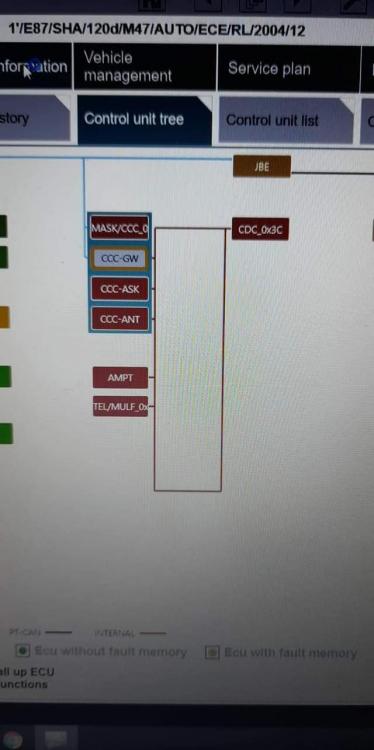
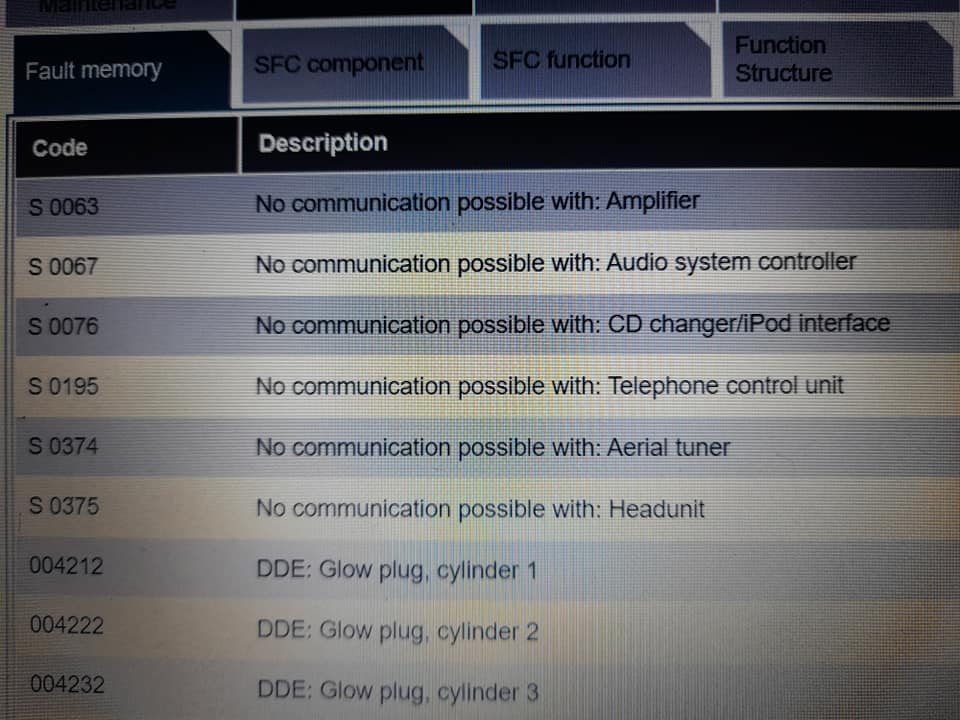
  2. Hi looking for advise what could be wrong with the car So I bought the car there was no original CCC unit inside the car so I bought second hand one installed it but nothing is working screen stays black just DVD room is buzzing I have checked all the fuses and wiring seems OK Car as well wont lock or unlock with the key fob I have checked fault codes and there is no communication with : No communication with amplifier No communication with Audio system controller No communication with CD Changer No communication with Telephone control unit No communication with Aerial tuner No communication with Headunit would it make the difference if i recode the new CCC unit its from the same car and same year
eBay disclaimer: As the club is an eBay Partner, The club may be compensated if you make a purchase you make on eBay via the club.

DISCLAIMER: Bimmerownersclub.com is an independent BMW car forum for owners of BMW vehicles. The club is not part of BMW nor affiliated with or endorsed by the offical BMW AG in any way. The material contained in the forums is submitted by the general public, and is not endorsed by Bimmer Owners Club, BMW AG, or Bayerische Motoren Werke AG. The official website for BMW AG can be found at http://www.bmw.co.uk
Background Picker
Customize Layout

Configure browser push notifications

Chrome (Android)
  1. Tap the lock icon next to the address bar.
  2. Tap Permissions → Notifications.
  3. Adjust your preference.
Chrome (Desktop)
  1. Click the padlock icon in the address bar.
  2. Select Site settings.
  3. Find Notifications and adjust your preference.