


Inky
Regular Member
-
Joined
-
Last visited
-
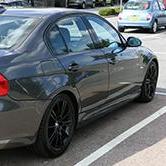 Hi Dave and thanks for the welcome, the BMW manual that came with the car calls it the "Drive off Assistant" I don't think it's sticking as such just making the drive unpleasant. I have experience with brakes of this type having driven Scania Omnicity double deck buses for 12 years in London. We had 13 of these at our garage from new and they have what Scania call a "HALT" brake that operates in a very similar way, other than the fact the driver had control over when it released by pressing the throttle pedal. The version in my 3 series stays on for the correct amount of time according to the manual, and doesn't stick, but there isn't any way of over-riding it with the pedals. You wait 2 seconds and it releases. I'll give an example; pull up in a car park with a kerb in front of the car, apply the footbrake and stop, the "brake assistant" operates but then you realise you're not close enough, release the footbrake, wait 2 seconds and the car moves forward and the M Sport bumper katches the kerb. You could argue, be more careful but thats impossible. See what I'm getting at? Pete
 -
Inky changed their profile photo
-
Inky joined the community
-
Guys, I own a 2006 E90 325i auto. Is there any way I can remove the brake "Drive off assistant"? Pete
