


Adam84
Members
-
Joined
-
Last visited
-
Adam84 joined the community
-
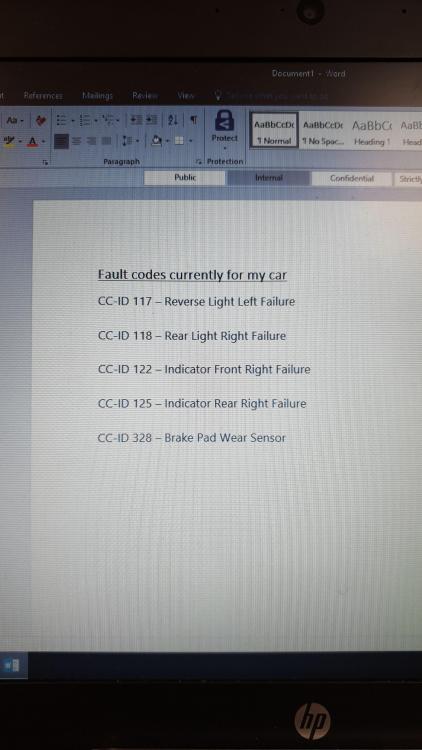
Hi everyone... I have had a bulb signal come up on my dash so I checked all round car and every bulb good, now my indicators are flashing faster than normal I have done a check with the BC control and its given me a number of fault codes: CC-ID 117 CC-ID 118 CC-ID 122 CC-ID 125 All these bulbs are fine so I'm very unsure how I can get around this... can anyone help please Thanks Adam

eBay disclaimer: As the club is an eBay Partner, The club may be compensated if you make a purchase you make on eBay via the club.
DISCLAIMER: Bimmerownersclub.com is an independent BMW car forum for owners of BMW vehicles. The club is not part of BMW nor affiliated with or endorsed by the offical BMW AG in any way. The material contained in the forums is submitted by the general public, and is not endorsed by Bimmer Owners Club, BMW AG, or Bayerische Motoren Werke AG. The official website for BMW AG can be found at http://www.bmw.co.uk
DISCLAIMER: Bimmerownersclub.com is an independent BMW car forum for owners of BMW vehicles. The club is not part of BMW nor affiliated with or endorsed by the offical BMW AG in any way. The material contained in the forums is submitted by the general public, and is not endorsed by Bimmer Owners Club, BMW AG, or Bayerische Motoren Werke AG. The official website for BMW AG can be found at http://www.bmw.co.uk