


Chris86.
Regular Member
-
Joined
-
Last visited
Everything posted by Chris86.
-
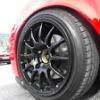 Hey Guys, thanks for the warm welcome just thought i would post up a couple of pics of the beemer. buying it from my mate who has just been made redundant so i know its lookd after. basically has all the kit apart from the xenons which im looking to upgrade eventually to it Shes a 3dr Silver 118d M Sport. Not really got alot planned just now i i just like the look of it just now. nice upgrade from a Fiesta Zetec S lol, but i will update as i get bits for her. wont be using the car alot as its been well looked after and i have the fiesta as my daily driver, heres a little pic lol Comments welcome. Chris
 -
Hey Guys.... Just thought id say hi B), Names Chris from the glasgow area taking delivery soon of a 3dr 118d M Sport. cant wait and look forward to chatting to you all Chris
