
Jump to content
View in the app

A better way to browse. Learn more.

Bimmer Owners Club - BMW Forum for BMW Owners

A full-screen app on your home screen with push notifications, badges and more.

To install this app on iOS and iPadOS
  1. Tap the Share icon in Safari
  2. Scroll the menu and tap Add to Home Screen.
  3. Tap Add in the top-right corner.
To install this app on Android
  1. Tap the 3-dot menu (⋮) in the top-right corner of the browser.
  2. Tap Add to Home screen or Install app.
  3. Confirm by tapping Install.

AdamC

Members
  • Joined

  • Last visited

Everything posted by AdamC

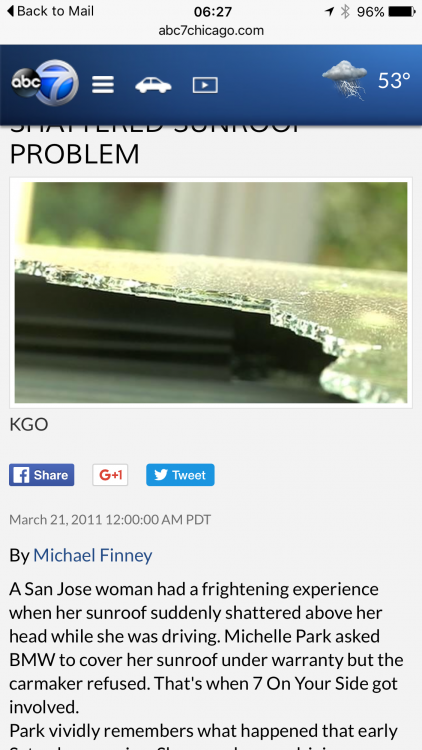
  1. Sunroof explodes whitest traveling at 70mph on open road no other traffic and nothing overhead. This is a brand new X5 4.0Xdrive M and BMW's response is that they have no record of this happening to other X5's..... This I know is rubbish as it happened to my first X5 in exactly the same circumstances Although I have supported BMW (this is the 3rd new X5) it seems it's a one way street, although a call back from a manager at there customer service has been requested they refuse with no explanation total lack of professionalism lost all faith. They seem very quick to dismiss without taking into account any specific circumstances, a very illogical approach and a "big boy" dismissing attitude. Please post any similar incidents so I can build evidence and a case When looking on the web there are some very interesting cases worldwide
eBay disclaimer: As the club is an eBay Partner, The club may be compensated if you make a purchase you make on eBay via the club.

DISCLAIMER: Bimmerownersclub.com is an independent BMW car forum for owners of BMW vehicles. The club is not part of BMW nor affiliated with or endorsed by the offical BMW AG in any way. The material contained in the forums is submitted by the general public, and is not endorsed by Bimmer Owners Club, BMW AG, or Bayerische Motoren Werke AG. The official website for BMW AG can be found at http://www.bmw.co.uk
Background Picker
Customize Layout

Configure browser push notifications

Chrome (Android)
  1. Tap the lock icon next to the address bar.
  2. Tap Permissions → Notifications.
  3. Adjust your preference.
Chrome (Desktop)
  1. Click the padlock icon in the address bar.
  2. Select Site settings.
  3. Find Notifications and adjust your preference.
