
Skip to content
View in the app

A better way to browse. Learn more.

Bimmer Owners Club - BMW Forum for BMW Owners

A full-screen app on your home screen with push notifications, badges and more.

To install this app on iOS and iPadOS
  1. Tap the Share icon in Safari
  2. Scroll the menu and tap Add to Home Screen.
  3. Tap Add in the top-right corner.
To install this app on Android
  1. Tap the 3-dot menu (⋮) in the top-right corner of the browser.
  2. Tap Add to Home screen or Install app.
  3. Confirm by tapping Install.

mart77

Premium Member
  • Joined

  • Last visited

Everything posted by mart77

  1. damn right i cant wait.lol.my mrs is sick of hearing me tell her how nice the car is.haha.i must be the only person in the country who wishes monday wasnt a bank holiday so i could go to the bank and pay the rest of the balance on it.roll on tuesday
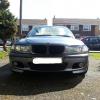
  2. hi all.just bought my first bmw today after a lot of searching.it's a 2000 e46 323i se.i dont pick it up till tuesday but cant wait.just wanted to say hi......so hi.haha
Background Picker
Customize Layout

Account

Navigation

Search

Search

Configure browser push notifications

Chrome (Android)
  1. Tap the lock icon next to the address bar.
  2. Tap Permissions → Notifications.
  3. Adjust your preference.
Chrome (Desktop)
  1. Click the padlock icon in the address bar.
  2. Select Site settings.
  3. Find Notifications and adjust your preference.