


WIGG77
Members
-
Joined
-
Last visited
-
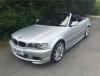
Hi all, My name is Dave and I am now the proud owner of a 2005 330 CD E46. I've always driven VW's but have a general love of all German cars. My first BMW was a White 98 E36 IS. It wasn't a car I was actually looking for at the time but I fell in love with it it and the rest is history. Unfortunately the day after I picked it up a young lady decided she didn't like the shape of the front, drove into it a wrote it off.... Ever since I've always wanted another so have just purchased the little lady you see below. Look forward to speaking with you all. Anyone know why the site tells me I don't have permission to become a premium member?

eBay disclaimer: As the club is an eBay Partner, The club may be compensated if you make a purchase you make on eBay via the club.
DISCLAIMER: Bimmerownersclub.com is an independent BMW car forum for owners of BMW vehicles. The club is not part of BMW nor affiliated with or endorsed by the offical BMW AG in any way. The material contained in the forums is submitted by the general public, and is not endorsed by Bimmer Owners Club, BMW AG, or Bayerische Motoren Werke AG. The official website for BMW AG can be found at http://www.bmw.co.uk
DISCLAIMER: Bimmerownersclub.com is an independent BMW car forum for owners of BMW vehicles. The club is not part of BMW nor affiliated with or endorsed by the offical BMW AG in any way. The material contained in the forums is submitted by the general public, and is not endorsed by Bimmer Owners Club, BMW AG, or Bayerische Motoren Werke AG. The official website for BMW AG can be found at http://www.bmw.co.uk