


tasn1
Regular Member
-
Joined
-
Last visited
-
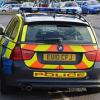 Lol! It just a very basic car. Manual, business CD, cloth seats, no cruise control, a few holes & missing trims (going to the breakers yard this weekend!). I took it on a rolling road and it came back with 276bhp (normally 245 I think - please correct me if I'm wrong!). It has a full police service history from BMW which is great. Thanks for the advice I will take to the M25 at least once every 2 weeks!
 -
Hi Guys How often should I take Becky (my E91 330D ex-police car) around the M25 to regenerate the DPF? I use the car mainly in & around London everyday as an Estate Agent barely hitting 30 mph...thanks in advance!
